
LP3724
Printer Accessories
Brother®
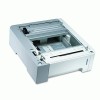 Brother® LT100CL 500-Sheet Lower Paper Tray for DCP9045CDN/HL4070CDW/MFC9440CN/MFC9840CDW Printers 
<p>Durable and reliable lower paper tray reduces time-wasting user interventions. Adds an extra 500 pages to your paper input, enabling you to increase efficiency and focus on what matters most for your business. Supports a variety of media sizes for maximum versatility.</p><p>For Model Numbers: Brother® DCP-9045CDN; HL-4070CDW; MFC-9440CN; MFC-9450CDN; MFC-9840CDW</p> |
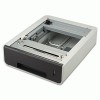 Brother® LT300CL 500-Sheet Lower Paper Tray
<p>Lower paper tray expands your paper input capacity. Robust, 500 sheet paper tray increases office productivity. Easy to install and refill.</p><p>For Model Numbers: Brother® HL-4150CDN; HL-4170CDW; MFC-9460CDN; MFC-9560CDW; MFC-9970CDW</p> |
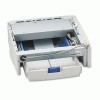 Brother® LT400 250-Sheet Lower Tray Additional Multipurpose Paper Cassette
<p>Fits a wide variety of printers for ultimate versatility. Expands your paper input capacity to reduce downtime and maximize production. Easy to install and refill for exceptional convenience.</p><p>For Model Numbers: Brother® DCP-1200; DCP-1400; HL-1250; HL-1270N; HL-1450; HL-1470N; MFC-8500; MFC-8600; MFC-8700; MFC-9700; MFC-9800; MFC-P2500</p> |
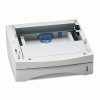 Brother® LT5000 250-Sheet Lower Paper Tray
<p>Easy to install and refill for exceptional convenience. Fits a wide variety of printers for the ultimate in versatility. Expands your paper input capacity to ensure less user intervention.</p><p>For Model Numbers: Brother® DCP-8020; DCP-8025D; DCP-8040; DCP-8045D; HL-5040; HL-5050; HL-5050LT; HL-5070N; HL-5140; HL-5150D; HL-5150DLT; HL-5170DN; MFC-8120; MFC-8220; MFC-8420; MFC-8440; MFC-8640D; MFC-8820D; MFC-8820DN; MFC-8840D; MFC-8840DN</p> |
 Brother® LT5300 250-Sheet Lower Paper Tray
<p>Expands your paper input capacity for less user intervention and more time for important matters. Easy to install and refill, ensuring less downtime. Fits a wide variety of printers for exceptional versatility.</p><p>For Model Numbers: Brother® DCP-8060; DCP-8065DN; DCP-8080DN; DCP-8085DN; HL-5240; HL-5250DN; HL-5250DNT; HL-5280DW; HL-5340D; HL-5370DW; HL-5370DWT; MFC-8460N; MFC-8480DN; MFC-8660DN; MFC-8670DN; MFC-8870DW; MFC-8890DW</p> |
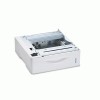 Brother® LT6000 500-Sheet Lower Paper Tray For HL6050D/6050DN Laser Printers
<p>Easy to install and refill.</p><p>For Model Numbers: Brother® HL-6050D; HL-6050DN</p> |
||
(back to top) Canon®
 Canon® 0170B003AA Maintenance Cartridge MC-04
<p>Regular replacement of crucial supplies keeps your device running smoothly. Reliable. Clean and simple installation.</p><p>For Model Numbers: Canon® imagePROGRAF W8400; W8400D</p> |
 Canon® 0586B001 Printhead
<p>Deliver consistent, smear-resistant prints while providing maximum coverage with these custom printheads. Pigment-based six plus one ink system controls color output and clarity for exceptional quality. Full-photolithography inkjet nozzle engineering ensures longer product life for larger, professional quality projects.</p><p>For Model Numbers: Canon® imagePROGRAF W6400; W8400</p> |
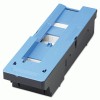 Canon® 1320B003 Waste Collection Cartridge
<p>Genuine OEM quality. Reliable. Clean and simple installation.</p><p>For Model Numbers: Canon® imagePROGRAF iPF5100, iPF5000, iPF500, iPF510</p> |
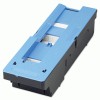 Canon® 1320B006 Waste Collection Cartridge
<p>OEM-made for proven quality. Keep your wide-format inkjet printer in tip-top shape. Easy to install.</p><p>For Model Numbers: Canon® imagePROGRAF iPF8000, iPF8000s, iPF8100, iPF9000, iPF9000S, iPF9100</p> |
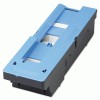 Canon® 1320B008AA Waste Collection Cartridge
<p>Essential for smooth operation. Use OEM supplies for exceptional performance. Easy to install.</p><p>For Model Numbers: Canon® imagePROGRAF iPF700 with ColorTrac Scanning System; iPF710; iPF71 with ColorTrac Scanning System; iPF720</p> |
 Canon® 1320B010 Waste Collection Cartridge
<p>Use OEM supplies for exceptional performance. Regular replacement of crucial supplies keeps your device running smoothly. Simple installation.</p><p>For Model Numbers: Canon® imagePROGRAF iPF6200, iPF6100, iPF610, iPF605</p> |
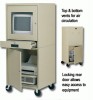 Canon® 1320B014 Waste Collection Cartridge
<p>Rely on OEM quality. Essential for smooth, uninterrupted operation of your device. Mess-free installation.</p><p>For Model Numbers: Canon® imagePROGRAF iPF650, iPF655, iPF750, iPF755</p> |
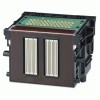 Canon® 2251B003 Printhead
<p>Produce superior wide format prints containing vibrant color consistency and accuracy, with these high-performance custom printheads. 8-Color LUCIA Ink technology disperses eight colors of ink simultaneously across twelve ink channels for better ink coverage. Quick drying, smudge-resistant coverage on all media.</p><p>For Model Numbers: Canon® imagePROGRAF iPF510; iPF610; iPF710; iPF810; iPF820; iPF5100; iPF6000S; iPF6100; iPF6200; iPF8000S; iPF8100; iPF9000S; iPF9100</p> |
 Canon® 3630B003 Printhead
<p>Produce superior wide format prints containing vibrant color consistency and accuracy, with these high-performance custom printheads. 8-Color LUCIA Ink technology disperses eight colors of ink simultaneously across twelve ink channels for better ink coverage. Quick drying, smudge-resistant coverage on all media.</p><p>For Model Numbers: Canon® imagePROGRAF iPF650, iPF655, iPF750, iPF755</p> |
 Canon® 3872B003AA Printhead
<p>Inkjet nozzle engineering ensures longer product life for larger, professional quality projects. Expect smooth and crisp output from this printhead. Integrates seamlessly with your printer to produce high-quality printouts from first to last page.</p><p>For Model Numbers: Canon® imagePROGRAF 8300, 6350, 6300</p> |
 Canon® 8003A001 Printhead
<p>Deliver consistent, smear-resistant prints while providing maximum coverage with these custom printheads. Pigment-based six plus one ink system controls color output and clarity for exceptional quality. Full-photolithography inkjet nozzle engineering ensures longer product life for larger, professional quality projects.</p><p>For Model Numbers: Canon® imagePROGRAF W7200; W7250; W8200</p> |
 Canon® 8004A001 Printhead
<p>Deliver consistent, smear-resistant prints while providing maximum coverage with these custom printheads. Pigment-based six plus one ink system controls color output and clarity for exceptional quality. Full-photolithography inkjet nozzle engineering ensures longer product life for larger, professional quality projects.</p><p>For Model Numbers: Canon® imagePROGRAF W2200S; W8400D</p> |
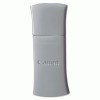 Canon® BU-30 Bluetooth® Adapter
<p>Print directly from compatible digital camera, phone camera or other Bluetooth® device. Eliminate unnecessary cables and cords. Increase convenience and functionality of your inkjet printer.</p><p>For Model Numbers: Canon® Pixma and Selphy series printers.</p> |
 Canon® CT-06 Cutter Blade
<p>High-performance cutter blade accurately cuts high volume print jobs including posters, banners and presentations. Handles larger wide format paper rolls up to 44-inches in width. Easy to replace and install.</p><p>For Model Numbers: Canon® imagePROGRAF iPF8000, iPF8000S, iPF8100, iPF9000, iPF9000S, iPF9100</p> |
Canon® Cutter Blade for imageProGraf IPF710
<p>High-performance cutter blade accurately cuts high volume print jobs including posters, banners and presentations. Handles larger wide format paper rolls up to 44-inches in width. Easy to replace and install.</p><p>For Model Numbers: Canon® imageProGraf iPF710</p> |
 Canon® IEEE 1394 Expansion Board
<p>Increase printing speeds and response time between your desktop and printer with this IEEE 1394 expansion board. Provides a Firewire interface to significantly increase the transfer of information. Simple to install in the printer's built-in expansion bay.</p><p>For Model Numbers: Canon® ImageProGraf IPF500, IPF510, IPF5000, IPF5100, IPF700, IPF710, IPF720, IPF810, IPF820; IPF8000, IPF8100, IPF9000, IPF9000S, IPF9100, W6400, W8400, W8400D</p> |
 Canon® imagePROGRAF® iPF9000S Large-Format Inkjet Printer
<p>Get the competitive edge in the production printing marketplace with this large format printer. Low-maintenance, long-life print heads eject tiny 4pl droplets of ink to produce high-quality graphics, posters and displays at unprecedented speeds. Intelligent high-speed processor manages the high volume of data required for display-quality large-format graphics and directs the print engine with speed and accuracy. Extra-large hard drive improves productivity by relieving the workload from the host computer while providing more capacity for data storage and retrieval. Built-in calibration sensors help compensate for adverse environmental conditions while providing a predictable platform for color management and consistent color reproduction. Avoid misprints, mismatching media types or running out of media in the middle of a job with the media roll detection system. Use Economy Color Mode to produce high resolution output while reducing ink consumption from 10% to 20%. Eight color ink set provides a vibrant color gamut with a depth and tone that's ideal for commercial graphics applications.</p> |
 Canon® LK-62 Rechargeable Li-Ion Battery for PIXMA iP100
<p>Increase your mobility options with this rechargeable, long-lasting battery. Powers your printer without electricity, giving you total freedom. The ultimate accessory for true mobility.</p><p>For Model Numbers: CNM1446B002</p> |
 Canon® RH2-11 Roll Holder Set
<p>Convenient, 2-in and 3-inch roll holder set keeps wide format sheet rolls in place, holding rolls up to 24-inches. Durable, steel rod can accommodate larger rolls with ease. Easy to install.</p><p>For Model Numbers: Canon® ImageProGraf IPF500, IPF510, IPF5000</p> |
Canon® RH2-33 Roll Holder Set
<p>Convenient, 2-in and 3-inch roll holder set keeps wide format sheet rolls in place, holding rolls up to 24-inches. Durable, steel rod can accommodate larger rolls with ease. Easy to install.</p><p>For Model Numbers: Canon® ImageProGraf IPF750, IPF755</p> |
 Canon® RH2-42 Roll Holder Set
<p>Convenient, roll holder keeps wide format sheet rolls in place, holding rolls up to 44-inches. Durable, steel rod can accommodate larger rolls with ease. Easy to install.</p><p>For Model Numbers: Canon® ImageProGraf IPF700, IPF8000, IPF8000S, IPF8100; W8400, W8400D</p> |
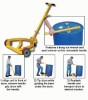 Canon® RH2-43 Roll Holder Set
<p>Convenient, roll holder keeps wide format sheet rolls in place, holding rolls up to 44-inches. Durable, steel rod can accommodate larger rolls with ease. Easy to install.</p><p>For Model Numbers: Canon® ImageProGraf IPF700, IPF8000, IPF8000S, IPF8100, W8400, W8400D</p> |
 Canon® RU-02 Automatic Document Roll Feeder
<p>Automatically feeds paper into printer for fast results. Durable, wide-angle tray accommodates larger media. Installation is quick and simple.</p><p>For Model Numbers: Canon® ImageProGraf IPF510</p> |
Canon® Separation Pad for DR-2020U
<p>Separation pad enhances the performance of the Automatic Document Feeder (ADF) of the imageFORMULA DR-2020 Universal Workgroup Scanner. Pad ensures loose sheets feed one at a time, minimizing jams and allowing the scanner to operate at its top speed.</p><p>For Model Numbers: Canon® DR-2020U imageFORMULA Scanner</p> |
(back to top) Dataproducts®
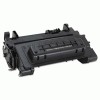 Dataproducts® DPC64AP Toner
<p>OEM quality without the OEM price. Reliable and dependable. Installs quickly and easily, saving both time and money.</p><p>For Model Numbers: HP LaserJet P4014, P4014dn, P4014n, P4015, P4015dn, P4015n, P4015tn, P4015x, P4515, P4515dn P4515n, P4515tn, P4515x, P4515xm</p> |
(back to top) Epson®
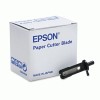 Epson® Cutter Blade
<p>Stay sharp! Cutter blade replacement.</p><p>For Model Numbers: Stylus Pro 9000</p> |
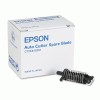 Epson® Replacement Cutter Blade for Epson® Stylus Pro 4000 Printer
<p>Replacement cutter blade for Epson® Stylus Pro 4000 printer.</p><p>For Model Numbers: Stylus Pro 4000</p> |
(back to top) HP
|
HP 900-Sheet 3-Bin Mailbox for CM4540MFP Series
<p>Increase productivity by assigning stapling, stacking or sorting directly from your workstation. Makes locating completed jobs easier with multiple users. Additional output options mean less monitoring of the MFP.</p><p>For Model Numbers: HP LaserJet CM4540MFP Series</p> |
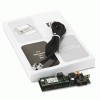 HP Analog Fax Accessory for LaserJet 9500, 9040, 9050, 4345 Multifunction Printers
<p>Add embedded analog fax functionality to your LaserJet, and enhance the practical value of your peripheral. Manual and scheduled memory lock ensure secure operation. OEM accessory integrates seamlessly into compatible MFPs.</p><p>For Model Numbers: HP LaserJet 4345, M4345, 4730, CM4730, M5035, 9040, 9050, M9040, M9050 Multifunction Printer Series</p> |
HP Booklet Maker/Finisher for LaserJet CM6030, CM6040
<p>Expand your multifunctional peripheral's potential! Finisher optimizes workspace efficiency by automatically offsetting, stapling and stacking printed or copied documents. Saddle stitch and v-fold functionality allows users to produce professional-quality booklets. Three bins help keep everything organized. OEM accessory is easy to install and works perfectly with your LaserJet device.</p><p>For Model Numbers: HP LaserJet CM6030, CM6040 Multifunction Printers</p> |
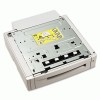 HP C7130B 500-Sheet Paper Tray for Color LaserJet 5550
<p>Decreases downtime so you spend less time refilling paper. Prints multiple paper types for maximum versatility. Easy to install gets you printing in no time.</p><p>For Model Numbers: HP Color LaserJet 5550; 5550dn; 5550dtn; 5550hdn; 5550n</p> |
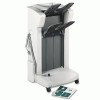 HP C8084A 3000-Sheet Stacker for LaserJet 9040/9050/9500 Series Printers
<p>Enables printing of large-volume documents in a worry-free, unattended environment. Provides automatic job offset capability. Reduces printer interaction for refilling and retrieving paper. Eliminates need of costly dedicated resources to collate or separate multiple original documents for maximum ease-of-use.</p><p>For Model Numbers: HP Color LaserJet 9500gp; 9500hdn; 9500mfp; 9500n; LaserJet 9040; 9040n; 9040dn; 9050n; 9050dn; 9040mfp; 9050mfp; M9040mfp; M9050mfp</p> |
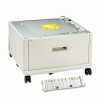 HP C8531A 2000-Sheet Input Tray for LaserJet 9000/9040/9050 Series Printers
<p>Provides high-volume input to achieve maximum input capacity while minimizing user intervention. Supports a variety of media sizes for exceptional versatility. Automatic size sensing for standard paper sizes for hands-free operation.</p><p>For Model Numbers: HP LaserJet 9000; 9000n; 9000dn; 9000hns; 9040; 9040n; 9040dn; 9050n; 9050dn; 9040mfp; 9050mfp</p> |
HP CB090A 250-Sheet Paper Tray for Officejet Pro 8000 Printer Series
<p>Enhances printer productivity and efficiency. Enables high-volume printing by reducing need to restock media. Boosts input capacity to 500 sheets.</p><p>For Model Numbers: HP Officejet Pro 8000</p> |
HP CB500A 250-Sheet Input Tray for Color LaserJet CP2020, CM2320 Series Printers
<p>Supports greater productivity and less printer management. Provides more flexible media handling: have different print media ready in the printer when you need it. Print up to 550 pages without reloading.</p><p>For Model Numbers: HP Color LaserJet CP2025; CP2025dn; CP2025n; CP2025x; CM2320fxi; CM2320n; CM2320nf</p> |
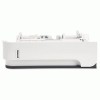 HP CB527A 400-Sheet Custom Media Tray
<p>High-quality, durable, reliability to ensure long, productive use. Expands your printer's output capacity to reduce user intervention. Easy to install so you can get printing right out of the box.</p><p>For Model Numbers: HP LaserJet P4014; P4014dn; P4014n; P4015dn; P4015n; P4015tn; P4015x; P4515n; P4515tn; P4515x; P4515xm</p> |
HP CB802A 250-Sheet Paper Tray for Officejet Pro 8500 All-in-One Printer Series
<p>Maximize productivity and efficiently handle higher-volume printing projects without interruption. Boosts total input capacity to 500 sheets.</p><p>For Model Numbers: HP Officejet Pro 8500</p> |
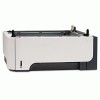 HP Color LaserJet 500-Sheet Paper Tray
<p>Enhances productivity by allowing more pages to print without reloading empty trays. Enables you to keep two different types of paper loaded. Adjustable for media up to legal size.</p><p>For Model Numbers: HP Color LaserJet Printers</p> |
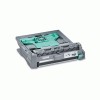 HP Duplex Unit for LaserJet 9000 Series
<p>Automatic duplexer enables double-sided printing at engine speed for no performance loss. Routine usage can cut paper costs in half. Provides necessary functionality for booklet printing. Supports media up to 53 lb.</p><p>For Model Numbers: HP LaserJet 9000 Series</p> |
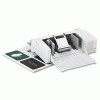 HP Envelope Feeder for HP 4250/4350 LaserJet Printer
<p>Saves loading time so you can do more important things! Print directly onto various size envelopes to meet your printing needs. Holds up to 75 envelope sheets.</p><p>For Model Numbers: HP 4250; HP 4350</p> |
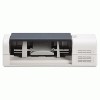 HP Envelope Feeder for LaserJet Enterprise 600 Series
<p>Print directly on various sizes of envelopes. Produces professional-looking results without labels. Simplifies business mailings and saves time.</p><p>For Model Numbers: HP LaserJet Enterprise 600 M601, M602, M603</p> |
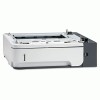 HP Feeder Tray for LaserJet P3015 Series
<p>An additional paper tray increases printer's total paper capacity, reducing the need for user intervention to refill trays. Enables different types of paper to be loaded simultaneously, such as letterhead and plain paper. Easy one-time installation.</p><p>For Model Numbers: HP LaserJet P3015; P3015d; P3015dn; P3015n; P3015x</p> |
HP Heavy Media Paper Tray for CM3520, CM3530
<p>Increase efficiency by expanding your printer's paper capacity with this heavy media paper tray. Handles heavier media including card stock, film, postcards and more. Durable, 500-sheet adjustable tray handles longer, heavier print jobs.</p><p>For Model Numbers: HP LaserJet CM3520; CM3530</p> |
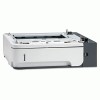 HP Input Tray Feeder for LaserJet Enterprise 600 Series
<p>Allows different media to be loaded without manual changing of trays. Generous 500-sheet capacity. Accommodates paper sizes from A4 to legal.</p><p>For Model Numbers: HP LaserJet Enterprise 600 M601, M602, M603</p> |
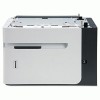 HP Input Tray for LaserJet Enterprise 600 Series
<p>Additional output bin with super 1500-sheet capacity. Paper level indicator shows remaining stock without opening the tray. Supports paper sizes up to legal size with automatic size-detection sensors.</p><p>For Model Numbers: HP LaserJet Enterprise 600 M601, M602, M603</p> |
HP LaserJet 500-Sheet Input Tray
<p>Robust, additional paper capacity to maximize productivity. Crisp, continuous printing. Increase office production and versatility with less interruptions.</p><p>For Model Numbers: HP LaserJet P2055d; P2055dn; P2055x</p> |
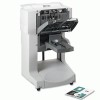 HP Multifunction Finisher
<p>Performs stapling, folding and job sorting. The multifunction finisher is capable of handling up to 50 sheets per minute. Staples at corner or document edge. Can fold single sheets. Saddle stitches and folds booklets of up to 10 sheets of paper. Stacks up to 40 booklets of up to five sheets (20 finished pages) of A3- and ledger-size paper. Provides stacking for transparencies, envelopes, labels, and prepunched and cut-sheet paper. High-capacity stacking for up to 1,000 sheets of A4- and letter-size paper or up to 500 sheets of A3- and ledger-size paper. Staples up to 50 sheets of A4- and letter-size paper and up to 25 sheets of A3- and ledger-size paper.</p><p>For Model Numbers: HP LaserJet 9040mfp, 9050mfp, 9500mfp</p> |
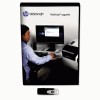 HP Postscript Upgrade for Designjet T1300/T790 ePrinters
<p>Upgrade kit allows PDF and PostScript files to travel over the network more efficiently. Makes processing large, complex files faster to reduce delays and queue back-ups. Creates emulations of Pantone® colors, allowing you to effectively manage your color rendering and proofing.</p><p>For Model Numbers: HP Designjet T1300, T790 ePrinter Series</p> |
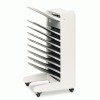 HP Q5693A 2000-Sheet 8-bin Mailbox for LaserJet 9040/9050/9500MFP Series Printer
<p>Four intelligent operating modes enable more efficient workflow. Eight face-down bins allow you to locate your documents quickly and easily. Adds to output capacity up to 2,000 pages for less frequent user intervention.</p><p>For Model Numbers: HP Color LaserJet 9500mfp; LaserJet 9040; 9040n; 9040dn; 9050n; 9050dn; 9040mfp; 9050mfp; M9040mfp; M9050mfp</p> |
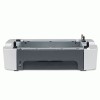 HP Q7556A 250-Sheet Input Tray for LaserJet 3390/M2727 Series Printer
<p>Increased paper-handling capacity enables less intervention and fewer interruptions. Allows simultaneous access to two media types to save time from manually changing paper types. Easy to install so you can get printing right out of the box.</p><p>For Model Numbers: HP LaserJet 3390; M2727nf; M2727nfs</p> |
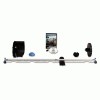 HP Roll Upgrade Kit for Designjet T7100 Printer
<p>Get the most flexibility from the HP Smart Roll Loading System on your printer. This additional roll maximizes the roll capacity for automatic switching from the two rolls included with printer to three rolls. Simple installation.</p><p>For Model Numbers: HP Designjet T7100</p> |
 HP Spindle
<p>HP Spindle</p> |
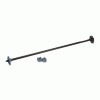 HP Spindle for 500/800 printer
<p>Installs with ease so there is no time wasted. Simpy insert paper roll onto spindle and you are ready to print. Hubs on each end keeps roll in position.</p><p>For Model Numbers: Designjet 500, 800 Series</p> |
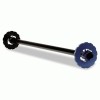 HP Spindle for Designjet Z6200 42-Inch Printer
<p>Additional roll media spindles make changing paper types faster and easier. Compatible with 2" or 3" cored media on the 42-inch printer. Durable steel rod.</p><p>For Model Numbers: HP Designjet Z6200</p> |
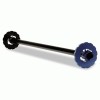 HP Spindle for Designjet Z6200 60-Inch Printer
<p>Additional roll media spindles make changing paper types faster and easier. Compatible with 2" or 3" cored media on the 60-inch printer. Durable steel rod.</p><p>For Model Numbers: HP Designjet Z6200</p> |
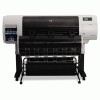 HP Stacker for Designjet T7100, 110V
<p>Stacker collects printer output, flattens and stacks it. Allows overnight and unattended print runs without the fear of damaging or mis-ordering the printed materials. Up to 500 D or A1-sized plots can be stacked at once.</p><p>For Model Numbers: HP Designjet T7100</p> |
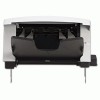 HP Stacker for LaserJet Enterprise 600 Series
<p>Provides automatic sheet stacking of print jobs. Additional output bin accommodates multiple users. Allows less monitoring and intervention of printer.</p><p>For Model Numbers: HP LaserJet Enterprise 600 M601, M602, M603</p> |
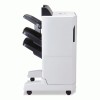 HP Stapler/Stacker for LaserJet CM6030, CM6040
<p>Set-up your peripheral for hassle-free, unattended operation! Automatic offsetting and multi-position stapling help optimize office productivity. Three-bins provide convenient mailbox stacking functionality. OEM accessory integrates easily and operates seamlessly.</p><p>For Model Numbers: HP LaserJet CM6030, CM6040 Multifunction Printers</p> |
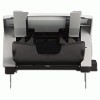 HP Stapler/Stacker for LaserJet Enterprise 600 Series
<p>Provides automatic sheet stacking and stapling. Additional output bin accommodates multiple users. Allows less monitoring and intervention of printer.</p><p>For Model Numbers: HP LaserJet Enterprise 600 M601, M602, M603</p> |
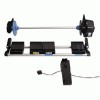 HP Take-up Reel for Designjet Z6200 42-Inch Printer
<p>Take up reel winds your printed media face-in or face-out for overnight or unattended printing. Increases productivity for long print runs and collects printed material neatly to prevent damage and mis-ordering.</p><p>For Model Numbers: HP Designjet Z6200</p> |
|||
(back to top) InfoPrint Solutions Company™
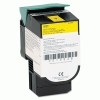 InfoPrint Solutions Company™ 39V2430, 39V2431, 39V2432, 39V2433 Toner
<p>Manufactured with stringent quality control standards. Engineered specifically to complement InfoPrint's line of workgroup printers. Increases productivity and provides a lower cost per page.</p><p>For Model Numbers: IBM® InfoPrint Color 1824, 1826MFP; MT4985, 4989</p> |
(back to top) Innovera®
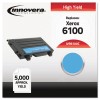 Innovera® 6100B, 6100C, 6100M, 6100Y Toner
<p>Enjoy premium printing at an economical price. Outstanding performance, reliability and quality. Simple installation.</p><p>For Model Numbers: Xerox® Phaser® 6100</p> |
 Innovera® 7659 Toner
<p>OEM quality without the OEM price. Dependable and reliable. Delivers exceptional output.</p><p>For Model Numbers: Pitney Bowes® DM300C, DM400C, DM450C, DM475C</p> |
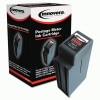 Innovera® 7668 Toner
<p>Value price, brand-name excellence. Turns out crisp and sharp prints. Simple installation.</p><p>For Model Numbers: Pitney Bowes® DM800, DM800I, DM825, DM875, DM900, DM925, DM1000, DM1100</p> |
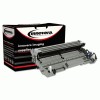 Innovera® DR620 Drum
<p>OEM quality without the OEM price. Keeps your machine printing accurately. Simple to install and use.</p><p>For Model Numbers: Brother® DCP-8080DN, 8050DN; HL-5340D, 5350DN, 5370DW, 5370DWT; MFC-8480DN, 8680DN, 8690DW, 8890DW</p> |
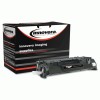 Innovera® E5050A Toner
<p>Dependable toner offers cost savings over OEM brands. Adds a professional touch to any document. Installs easily.</p><p>For Model Numbers: HP LaserJet 2035, 2055</p> |
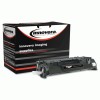 Innovera® E505X Toner
<p>Dependable toner offers cost savings over OEM brands. Adds a professional touch to any document. Installs easily.</p><p>For Model Numbers: HP LaserJet P2050, P2055, P2055D, P2055DN, P2055X</p> |
 Innovera® TN620, TN650 Toner
<p>Cost-effective alternative to OEM toner. Consistent, reliable performance with outstanding print clarity. Simple to install and replace.</p><p>For Model Numbers: Brother® DCP-8080DN, 8050DN; HL-5340D, 5350DN, 5370DW, 5370DWT; MFC-8480DN, 8680DN, 8690DW, 8890DW</p> |
|
(back to top) Katun
|
Katun 36990 Toner
<p>OEM quality without the OEM price. Increases productivity at lower cost per page. Simple installation.</p><p>For Model Numbers: HP LaserJet M1522n MFP, LaserJet M1552nf MFP</p> |
Katun 36991 Toner
<p>Get OEM quality with the value that a trusted compatible toner offers. Dependable and reliable, these cartridges will print beautifully. Delivers consistently brilliant image quality.</p><p>For Model Numbers: HP LaserJet P1005, P1006</p> |
(back to top) Lexmark™
|
Lexmark™ 1660-Sheet Paper Drawer Stand for C935/X940/X945
<p>Increase your printer's capacity with a robust 1660-sheet paper drawer stand. Supports multiple media sizes. Easy to install.</p><p>For Model Numbers: Lexmark™ C935DN; C935DTN; C935DTTN; C935HDN; X940E; X945E</p> |
Lexmark™ 16M1100 550-Sheet Input Drawer for X658 Series Printers
<p>Additional paper capacity allows more efficient high-volume printing. Quick, easy installation keeps downtime to a minimum. User-friendly tray makes paper changes a breeze.</p><p>For Model Numbers: Lexmark™ X658de; X658dfe; X658dme; X658dte; X658dtfe; X658dtme</p> |
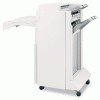 Lexmark™ 2/3-Hole Sheet Finisher for C935/X940/X945
<p>Hole punch, fold and stack prints with this robust finisher. Enables smooth printing and collating. Easy to attach and install.</p><p>For Model Numbers: Lexmark™ C935DN; C935DTN; C935DTTN; C935HDN; X940E; X945E</p> |
 Lexmark™ 2000-Sheet High Capacity Paper Drawer
<p>Designed for high-speed output in high volume work areas. Robust, 2000-sheet paper feeder drawer helps save time and increases productivity. Ideal for workspaces networking multiple users to printer.</p><p>For Model Numbers: Lexmark™ C734dn; C734dtn; C734dw; C734n; C736dn; C736dtn; C736n</p> |
|
Lexmark™ 20G0888 500-Sheet Duplexer for T642, T644 Printers
<p>500-sheet duplex accessory adds two-sided printing option to compatible Lexmark™ printers. Accommodates most any paper size and card stock. Uses less paper which saves money.</p><p>For Model Numbers: Lexmark™ T642, T644</p> |
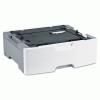 Lexmark™ 30G0802 550-Sheet Input Drawer for T650, T652, T654, X65 Series Printers
<p>Versatile printer accessory stores paper for printing. Designed for medium- to large-size printing projects. User friendly features include easy installation and refilling.</p><p>For Model Numbers: Lexmark™ T650n; T652n; T654n; X651de; X652de; X654de; X656de; X656dte</p> |
Lexmark™ 30G0871 200-Sheet Universally Adjustable Drawer for T65x, X651, X652, X654, X656 Printers
<p>Boosts printer efficiency and productivity. Makes for easier printing, faxing and copying. Includes paper tray for ease of use.</p><p>For Model Numbers: Lexmark™ T650n; T652n; T654n; X651de; X652de; X654de; X656de; X656dte</p> |
Lexmark™ 30G0880 Kiosk Presenter for T650, T652, T654 Series Printers
<p>Moves paper forward from the exit rollers at the back of the printer toward the front of the printer, exiting at an adjustable downward angle. Attaches to the top of the printer as easily as an Output Expander. No other output options may be used when Kiosk Presenter is attached. Designed for use inside an enclosed kiosk cabinet. The minimum length media supported is 6 inches. Use outside of an enclosed kiosk cabinet not recommended.</p><p>For Model Numbers: Lexmark™ T650n; T652n; T654n</p> |
|
Lexmark™ 34S0250 250-Sheet Drawer with Tray for E260, E360, E460 Series Printers
<p>Smaller-sized option for multifunction laser printers. Ideal for medium-size printing jobs. Holds several paper sizes, as well as labels.</p><p>For Model Numbers: Lexmark™ E260d; E260dn; E360d; E360dn; E460dn; E460dw; X264dn; X363dn; X364dn; X364dw</p> |
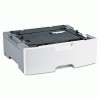 Lexmark™ 34S0550 550-Sheet Drawer with Tray for E260, E360, E460 Series Printers
<p>High-quality, high-capacity option optimizes printer output and utilization. Increases flexibility, reducing user interventions and expanding output options. Accommodates several sizes of paper and print media, including labels.</p><p>For Model Numbers: Lexmark™ E260d; E260dn; E360d; E360dn; E460dn; E460dw; X264dn; X363dn; X364dn; X364dw</p> |
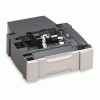 Lexmark™ 36B1600 550-Sheet Paper Tray for C532n/C532dn/C534n/C534dn Printers
<p>High-quality and easy-to-use for excellent performance every time. Accommodates a variety of media for exceptional versatility. Expands your printer's paper capacity to reduce downtime and improve productivity.</p><p>For Model Numbers: Lexmark™ C532n; C532dn; C534n; C534dn; C534dtn</p> |
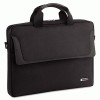 Lexmark™ 550-Sheet Duo Drawer for C540/X540 Series
<p>Adds input capacity to your printer. Features a 100-sheet multi-purpose feeder for labels, envelopes, transparencies and card stock. High-capacity allows refill of entire ream.</p><p>For Model Numbers: Lexmark™ C540, X540 Series</p> |
 Lexmark™ 550-Sheet Input Drawer for C546/X546
<p>Increase your printer's capacity with a robust 550-sheet input drawer. Supports A4, A5, JIS B5, Folio, Letter, Legal, Executive and Oficio paper sizes. Easy to install below the 550-Sheet Duo drawer.</p><p>For Model Numbers: Lexmark™ C546, X546</p> |
Lexmark™ 550-Sheet Lockable Drawer for T650/X650 Series
<p>Adds input capacity to your printer. Lockable drawer allows you to secure special paper or blank checks. High-capacity allows refill of entire ream.</p><p>For Model Numbers: Lexmark™ T650, X650 Series</p> |
 Lexmark™ Booklet Finisher for C950, X950
<p>Premium finisher folds and saddle staples, allowing you to create booklets. Supports virtually all media sizes of plain paper. Stacks, staples and 3-hole punches for versatility and time-savings.</p><p>For Model Numbers: Lexmark™ C950, X950</p> |
 Lexmark™ One-Drawer Feed Stand for C950, X950
<p>Paper drawer supports virtually every media size up to Super Tabloid 12" x 18". Supports most common media types, including card stock, labels and transparencies. Provides stable base for printer.</p><p>For Model Numbers: Lexmark™ C950, X950</p> |
|
Lexmark™ Paper Finisher for C935/X940/X945
<p>Create booklets in-house with this finisher which supports side saddle folding and stapling. Finisher also staples and 3-hole punches. Offset stacking keeps your print job organized. Compatible with plain paper in letter, legal, ledger, executive, folio, A3/A4, B4/B5.</p><p>For Model Numbers: Lexmark™ C935DN; C935DTN; C935DTTN; C935HDN; X940E; X945E</p> |
 Lexmark™ Standard Finisher for C950, X950
<p>Standard finisher offers offset stacking, stapling and 3-hole punching. Features two sort bins for a total of 3,500 sheets. Supports virtually all media sizes in many weights, including card stock and glossy paper.</p><p>For Model Numbers: Lexmark™ C950, X950</p> |
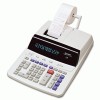 Lexmark™ Three-Drawer Feed Stand for C950, X950
<p>Three drawers allow you to print on commonly-used paper types without getting up to change the paper. Paper drawer supports virtually every media size up to Super Tabloid 12 x 18. Supports most common media types, including labels and transparencies.</p><p>For Model Numbers: Lexmark™ C950, X950</p> |
 Lexmark™ W850H21G Toner
<p>Smooth and quick installation.</p><p>For Model Numbers: Lexmark™ W850DN, 850N</p> |
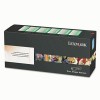 Lexmark™ W850H22G Photoconductor Kit
<p>Keeps your printer running smoothly. Standout performance and maximum yield. Installs quickly and easily.</p><p>For Model Numbers: Lexmark™ W850DN, W850N</p> |
|||
(back to top) Muratec™
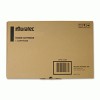 Muratec™ DK2030 Drum
<p>Genuine OEM quality ensures optimum performance from your device. Increase productivity and reduce costs. Installs quickly and easily.</p><p>For Model Numbers: Murata/Muratec F300, 500, 520D, MFX1330, 1330D, 1430, 2030</p> |
Muratec™ DKT114 Drum
<p>Genuine OEM quality. Ensures machine efficiency and consistent product yield. Prints cleanly.</p><p>For Model Numbers: Muratec™ F114, F114P</p> |
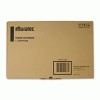 Muratec™ TS2030 Toner
<p>OEM reliability. Ensures efficiency and consistent product yield. Easy to install, clean, and use.</p><p>For Model Numbers: Muratec™ MFX1430, MFX2030</p> |
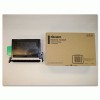 Muratec™ TS300 Toner
<p>Designed to create crisp edges and smooth shades. Genuine OEM toner. Delivers exceptional quality.</p><p>For Model Numbers: Muratec™ F300, MFX1330, MFX1330D</p> |
(back to top) Oki®
 Oki® 530-Sheet Paper Tray for B411/B431
<p>Increase your printer's paper handling capacity with an additional input tray. Robust 530 sheet capacity assures uninterrupted printing of larger documents. Easy to install.</p><p>For Model Numbers: Oki® B411; B431</p> |
Oki® 530-Sheet Paper Tray for C5500n/C5800Ldn/C6000/C6100 Series Printers
<p>Expand your paper-handling options with this second paper tray. Increased capacity reduces the time you spend refilling printer's paper.</p><p>For Model Numbers: OKI® C5650dn; C5650n; C5800ldn; C6000dn; C6000n; C6050dn; C6050n; C6100dn; C6100dtn; C6100hdn; C6100n; C6150dn; C6150hdn; C6150n</p> |
 Oki® 70047804 Automatic Duplex Accessory for Oki® B6250n Printer
<p>Duplex accessory provides high-quality, two-sided printing. Reliable OEM construction provides peace of mind. Easy installation to back of printer.</p><p>For Model Numbers: OKI® B6250dn, B6250n digital mono printers</p> |
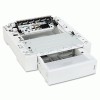 Oki® 70052001 550-Sheet 3rd and 4th Paper Trays for B6500 Series Printer
<p>Supports a variety of media sizes for maximum versatility. Expands your printer's output capacity so you can focus your attention on where it matters most. Two input trays in one significantly reduces wasted user intervention time.</p><p>For Model Numbers: OKI® B6500; B6500n; B6500dn; B6500dtn</p> |
|
Oki® 70053501 3500-Sheet Stacker Option for B930N/B930DN Printers
<p>Convenient finishing options make it simple to complete you jobs in-house, without having to resort to outside vendors. Provides job offsetting keeps different print jobs separate for ultimate productivity. Expands your printer's output capacity by 3,500 pages for less user intervention.</p><p>For Model Numbers: OKI® B930n; B930dn</p> |
Oki® 70053701 Automatic Duplex Accessory for Oki® B930n Printers
<p>Increases productivity with two-sided printing. OEM construction ensures reliability. Ensures greater cost-efficiency through reduced paper consumption.</p><p>For Model Numbers: OKI® B930n</p> |
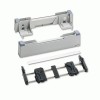 Oki® Bottom Feed Push Tractor
<p>Provides a straight-through, jam-free paper path for those hard-to-handle labels, card stock, and thick forms. Keeps even the most difficult jobs running smoothly. Assures quick, clean tear-off at the bottom of the form.</p><p>For Model Numbers: Oki® ML390T, ML320T</p> |
Oki® High Capacity Paper Feeder
<p>This high capacity paper feeder promotes continuous productivity. Holds up to 530 sheets of paper for fewer reloads. Fast, professional output.</p><p>For Model Numbers: Oki® B930n, B930dn</p> |
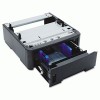 Oki® Second Position Output Tray for B400 Series Printers
<p>Reduce print job interruptions by increasing your printer's paper-handling capacity. Universal 2nd position tray is designed to accommodate a variety of paper sizes. Reinforced guides and ABS plastic construction deliver maximum durability. Installing and accessing the tray is easy and hassle free.</p><p>For Model Numbers: OKI® B410d; B410dn; B420dn; B430d; B430dn</p> |
Oki® Two-to-Three Hole Punch/Stapler/Finisher
<p>Prepare your presentation booklets quickly and easily with this multi-tasking two-to-three hole punch. Handles 3,500 sheets at a time. Requires either optional 2,000-sheet Letter/A4 tray or 2,000-sheet Tabloid/A3 tray (not included). Requires duplex unit when used with B930n (not included).</p><p>For Model Numbers: Oki® B930dn, B930n digital mono printer</p> |
||
(back to top) Printronix®
 Printronix® 255161001 Printer Ribbon
<p>For use with Printronix® P7000 printer. Long life and exceptional character definition.</p><p>For Model Numbers: Printronix® P7000</p> |
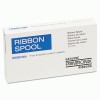 Printronix® 255163001 Printer Ribbon
<p>For use with Printronix® P7000 printer. Long life and exceptional character definition.</p><p>For Model Numbers: Printronix® P7000</p> |
(back to top) Ricoh®
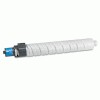 Ricoh® 841276, 841277, 841278, 841279 Toner
<p>Quality OEM manufacturing. Efficient and consistent. Simple to install.</p><p>For Model Numbers: Ricoh® Aficio MP C2800, C3300, C3333, LD533C</p> |
 Ricoh® 841452 Toner
<p>Produces copy clarity. Prints reliably and dependably. Simple installation.</p><p>For Model Numbers: Ricoh® Aficio C4501, C5501</p> |
 Ricoh® 841453, 841454, 841455 Toner
<p>Produces copy clarity. Prints reliably and dependably. Simple installation.</p><p>For Model Numbers: Ricoh® Aficio MPC4000, MPC4501, MPC5000, MPC5501</p> |
(back to top) Samsung
|
Samsung 250-Sheet Cassette Paper Tray For Samsung SCX-5635FN
<p>Increase your printer's capacity and print higher volume print jobs with this second cassette paper tray. Robust, 250-sheet tray holds letter and legal size paper. Easy to install.</p><p>For Model Numbers: Samsung SCX-5635FN</p> |
Samsung 250-Sheet Cassette Paper Tray for SCX-4828FN and SCX-4826FN Printers
<p>Spend less time refilling the printer's paper tray with this second cassette paper tray. Supports a variety of media sizes for maximum versatility. Simple to install so you can start printing fast.</p><p>For Model Numbers: Samsung SCX-4828FN; SCX-4826FN</p> |
Samsung 500-Sheet Cassette Paper Tray CLX6220FX/CLX6250FX
<p>Increase your printer's capacity and print higher volume print jobs with this second cassette paper tray. Robust, 500-sheet tray holds letter and legal size paper. Easy to install.</p><p>For Model Numbers: Samsung CLX-6220FX; CLX-6250FX</p> |
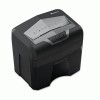 Samsung 500-Sheet Cassette Paper Tray for CLP-775ND
<p>Additional Cassette tray expands your printer's paper capacity. Supports a variety of media sizes and accommodates a full ream. Easy to install.</p><p>For Model Numbers: Samsung CLP-775ND</p> |
|
Samsung 500-Sheet Cassette Paper Tray for CLP-S770
<p>Increase your printer's capacity and print higher volume print jobs with this second cassette paper tray. Robust, 500-sheet tray holds letter and legal size paper. Easy to install.</p><p>For Model Numbers: Samsung CLP-S770A</p> |
Samsung 500-Sheet Cassette Paper Tray For ML4551NR/MDR
<p>Increase your printer's capacity and print higher volume print jobs with this second cassette paper tray. Robust, 500-sheet tray holds letter and legal size paper. Easy to install.</p><p>For Model Numbers: Samsung ML-4551NR; ML-4551NDR</p> |
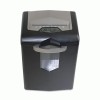 Samsung 520-Sheet Cassette Paper Tray for ML-4512 and ML-5012
<p>Additional Cassette tray expands your printer's paper capacity. Supports a variety of media sizes and accommodates a full ream. Easy to install.</p><p>For Model Numbers: Samsung ML-4512ND; ML-5012ND; ML-S5012A</p> |
 Samsung Cassette Tray for ML-3312ND and 3712ND/DW
<p>Doubles the paper capacity of your printer for long print runs. Provides easy switching of media without the hassle of changing trays. Easy to install.</p><p>For Model Numbers: Samsung ML-3312ND; ML-3712ND; ML-3712DW</p> |
 Samsung CLTT508 Transfer Belt
<p>Superior smooth color output produces consistent, high-quality prints. Durable, long-lasting product life cycle. OEM replacement parts equal proven reliability.</p><p>For Model Numbers: Samsung CLP-620ND,CLP-660ND</p> |
Samsung Common Access Card Kit for Select SCX and CLX Models
<p>Provides high level security to sensitive information. Card reader system authenticates users to perform certain operations on the MFP. Verifies permissions for scanning, faxing and emailing both internally and to external recipients. Encrypts email and requires the recipient to be registered in order to open it.</p><p>For Model Numbers: Samsung SCX5635FN; SCX6545N; SCX6555N; CLX6250FX; CLX 8540ND</p> |
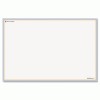 Samsung High-Capacity Feeder for ML-5512ND/6512ND
<p>Increases paper capacity to 2,000 sheets. Reduces user intervention to refill paper supply on large print jobs.</p><p>For Model Numbers: Samsung ML-5512ND/6512ND</p> |
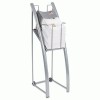 Samsung Two-Bin Finisher for ML-5512ND/6512ND
<p>Sorts and staples your print jobs.</p><p>For Model Numbers: Samsung ML-5512ND/6512ND</p> |
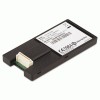 Samsung Wireless Card for ML-5512ND/6512ND
<p>Adds wireless functionality to your printer. Allows users to print on an ad hoc basis, perfect for conference rooms and reception areas.</p><p>For Model Numbers: Samsung ML-5512ND/6512ND</p> |
|||
(back to top) Seiko
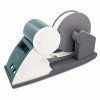 Seiko High Capacity Label Tray
<p>Holds up to 1,700 labels on large rolls, saving time and money by not having to change rolls frequently. Quick and easy assembly for fast productivity. Accommodates multiple label sizes for any job. One roll capacity.</p><p>For Model Numbers: Seiko SLP 420, 430, 440, 450 and 650 printers.</p> |


 Message sending..