
LP2517
Samsung

Adapters/Chargers
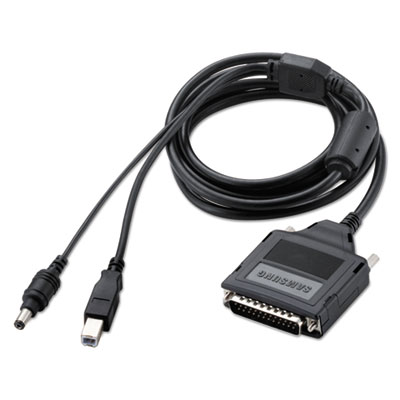 Samsung IEEE 1284B Parallel Adapter 
<p>Increases connectivity options. Provides faster printing. Frees up parallel ports for other uses.</p> |
(back to top) Belts (Printer/Fax/Copier)
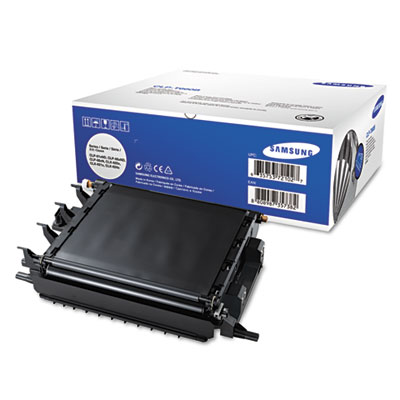 Samsung CLPT660A Transfer Belt
<p>Trust this OEM replacement part for unmatched reliability. Durable for long-lasting life. You can count on smooth print quality.</p><p>For Model Numbers: Samsung CLP-610</p> |
(back to top) Computer Drives
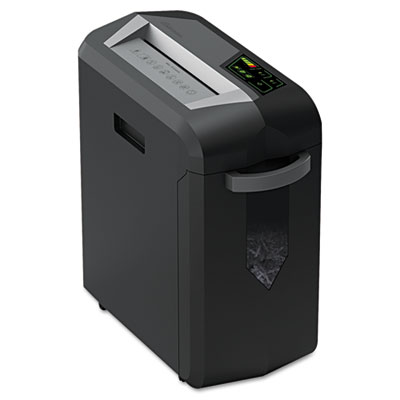 Samsung Hard Disk Drive for CLP-775 Color Laser Printer
<p>Increases the processing speed and efficiency of your printer. Large capacity to store large print jobs. Enables the use of advanced printing features.</p><p>For Model Numbers: Samsung CLP-775</p> |
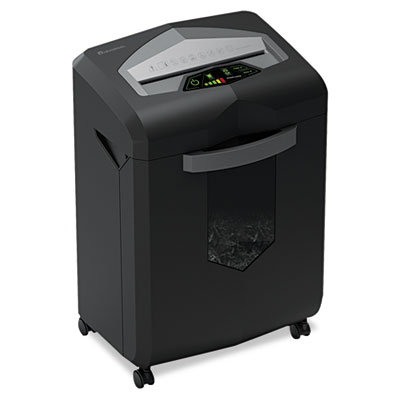 Samsung Hard Disk Drive for ML-5512, 6512, 5012, 5017 Laser Printers
<p>Adding hard drive capacity to your printer will increase processing speed for large, complex files. It also creates storage space for frequently printed documents. Advanced printing features may be accessed with additional memory capacity.</p><p>For Model Numbers: Samsung ML-5012, ML-5017, ML-5512, ML-6512</p> |
(back to top) Copier/Fax/Multifunction Machines
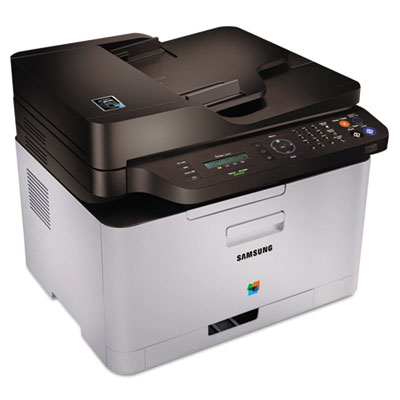 Samsung C460FW Multifunction Printer Xpress Color Laser Printer
<p>This Samsung multifunction can handle everything you throw its way with the greatest of ease. Its 4-in-1 functionality lets you print, copy, scan and fax in a snap. There’s even one-touch Wi-Fi Protected Setup to help you save time, and an Eco button to save paper and toner. With the printer’s NFC Technology, printing wirelessly from a mobile device is a breeze—just tap your tablet or smartphone. The printer’s ultra-small footprint means it fits virtually anywhere in your home or small office.</p> |
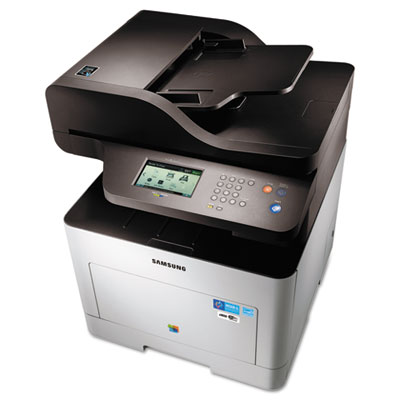 Samsung Color Multifunction Printer ProXpress C2670FW
<p>Provides versatility with 4-in-1 multifunctional capabilities, duplex printing, mobile and wireless printing, and added security at the enterprise-security level. Convenience features such as Easy Printer Manager, Easy Document Creator, and secure printing help improve the printing and management process. Special features include: NFC Tap&Print, and 4.3 Touchscreen LCD user interface. Enhance office operations with fast, high-quality printing and a wider range of media handling. Boost efficiency with simple, yet powerful performance features and reduce operating expenses with economical features and solutions.</p> |
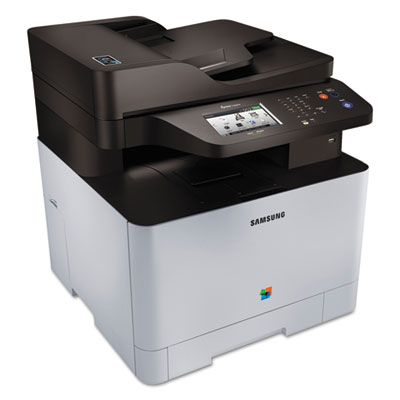 Samsung Color Multifunction Xpress C1860FW
<p>Samsung Multifunction Xpress C1860FW is the smart choice for modern business environments that demand printers that have mobile printing capabilities and produce high-quality color output. Speed, ease of operation and cost efficiency are also key requirements for businesses to run productively and economically. The Xpress C1860FW delivers them all. For employees on the move, Xpress C1860FW provides Samsung NFC Print for easier mobile printing. With the Samsung MobilePrint app, Xpress C1860FW provides various features, such as Google Cloud Print, visual troubleshooting and printer status checks. Tight deadlines and high print volumes are no problem. The Xpress C1860FW delivers fast performance with print speeds of 18/18 ppm thanks to a dual CPU and 256 MB memory. These workhorse printers not only produce high-quality output at blazing-fast speeds, but they are simple and economical to operate. By implementing Samsung Multifunction Xpress C1860FW, businesses can be far more efficient, flexible and productive than they ever dreamed was possible.</p> |
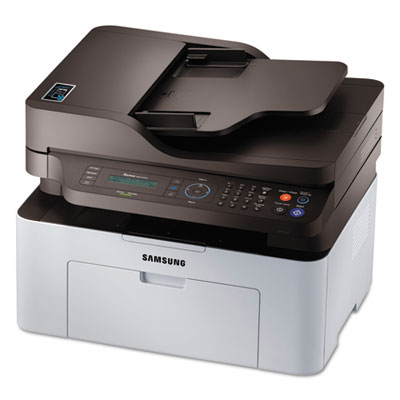 Samsung Mono Multifunction Xpress M2070FW
<p>Samsung Mono Multifunction Xpress M2070FW—Get Print On Tap! Samsung NFC Print—Simply tap your mobile device to the Samsung Xpress M2070FW Series to print, scan and fax virtually any content. Direct printing from Samsung GALAXY—print directly what is displayed on your Samsung GALAXY device from gallery images to web pages and more, without the Mobile Print App. Conversely with Samsung Mobile Print App—print a variety of content using a wide range of options and features from your mobile device. Just install, choose and print, scan or fax. No wireless network available? No worries! Connect your mobile device directly to the printer using Wi-Fi Direct. Google Cloud Print—Select files to print directly from your Google® account with Google Cloud Print. Print and share e-mails, photos, PDF files and social media content through the cloud from your mobile device even when you are away from the printer. Wireless installation—Install Xpress M2070FW wirelessly in three quick and easy steps without a USB cord. Activate eco-friendly settings effortlessly with the One-touch Eco Button. Handle large complex printing jobs while providing high speeds and image processing. Manage and create like a pro with ease—Easily and efficiently manage printer settings and status with Easy Printer Manager.</p> |
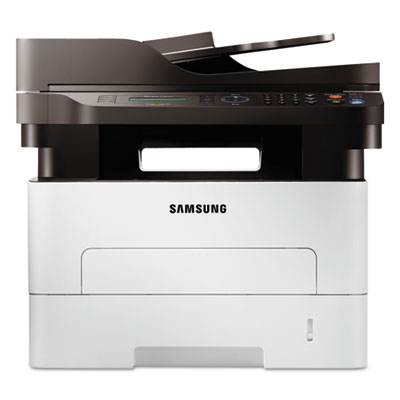 Samsung Mono Multifunction Xpress M2885FW
<p>Samsung Multifunction Xpress M2885FW provides the right fit for the fast-paced mobile environments of modern businesses. With Samsung SMART Printing Solutions that enable workers to be productive anywhere work takes them, this robust MFP links seamlessly with mobile devices so co-workers can easily connect across the office or across the globe. ReCP technology helps businesses produce enhanced printing, even on heavy media, as well as scanning, for superior-quality professional results. For energy savings, use the One Touch Eco Button and the award-winning Samsung Easy Eco Driver software. Employees on the move will enjoy easier mobile printing. With the Samsung MobilePrint app, Xpress M2885FW provides various features, such as Google Cloud Print, visual troubleshooting and printer status checks, enabling companies to work more efficiently, flexibly and innovatively.</p> |
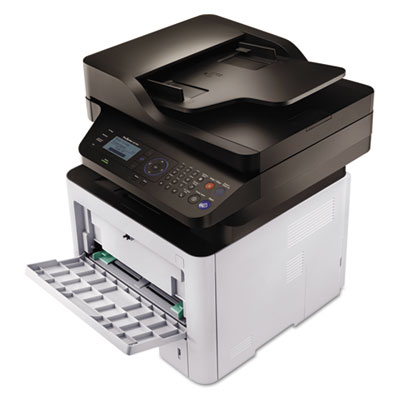 Samsung ProXpress M3370FD Multifunction Laser Printer
<p>This multifunction laser printer enables you to print, copy, scan, fax and PC-fax with unparalleled convenience, ease and speed. Cortex-A5 core processor and large built-in memory boost print and scan productivity with high quality results. ReCP Technology produces sharp and clean print and scan outputs. Produce professional-quality printouts with more reliable paper handling and support a range of media types. One Touch Eco Button supports cost and energy saving functions of 2-up/duplex printing, skipping blank pages and toner saving mode. Easy Eco Driver delivers cost savings by using less toner and paper. Printer manager facilitates printer management and monitoring. Use the Document Creator to compile and print complex documents in easy and fast manner. Secure printing jobs at the enterprise-security level with SyncThru™ Admin.</p> |
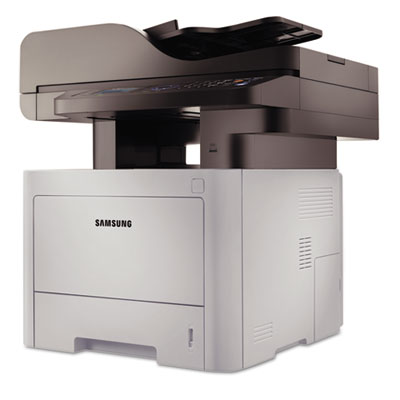 Samsung ProXpress M4070FR Multifunction Laser Printer
<p>This multifunction laser printer enables you to print, copy, scan, fax and PC-fax with unparalleled convenience, ease and speed. Cortex-A5 core processor and large built-in memory boost print and scan productivity with high quality results. ReCP Technology produces sharp and clean print and scan outputs. Produce professional-quality printouts with more reliable paper handling and support a range of media types. One Touch Eco Button supports cost and energy saving functions of 2-up/duplex printing, skipping blank pages and toner saving mode. Easy Eco Driver delivers cost savings by using less toner and paper. Printer manager facilitates printer management and monitoring. Use the Document Creator to compile and print complex documents in easy and fast manner. Secure printing jobs at the enterprise-security level with SyncThru™ Admin.</p> |
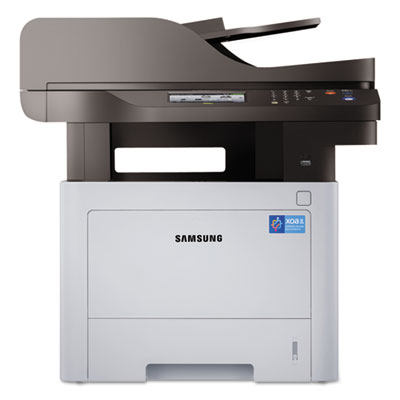 Samsung ProXpress M4070FX Multifunction Laser Printer
<p>A great choice for a small or medium company. They could increase your productivity up to 29% faster with the printer-optimized processor. They are robustly reliable with 30% fewer paper jams, 100K monthly max duty cycle and enterprise security level. Businesses can lower toner and paper usage with the One Touch Eco Button. The One Touch Eco Button automatically activates two-up printing (two pages on the same side) and duplex printing (printing on both sides).</p> |
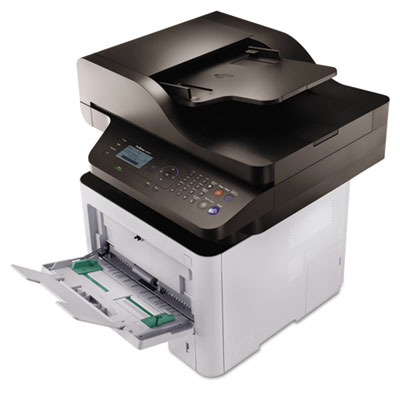 Samsung ProXpress SL-M3870FW Wireless Multifunction Laser Printer
<p>This wireless multifunction laser printer enables you to print, copy, scan, fax and PC-fax with unparalleled convenience, ease and speed. Cortex-A5 core processor and large built-in memory boost print and scan productivity with high quality results. ReCP Technology produces sharp and clean print and scan outputs. Produce professional-quality printouts with more reliable paper handling and support a range of media types. One Touch Eco Button supports cost and energy saving functions of 2-up/duplex printing, skipping blank pages and toner saving mode. Easy Eco Driver delivers cost savings by using less toner and paper. Printer manager facilitates printer management and monitoring. Use the Document Creator to compile and print complex documents in easy and fast manner. Secure printing jobs at the enterprise-security level with SyncThru™ Admin.</p> |
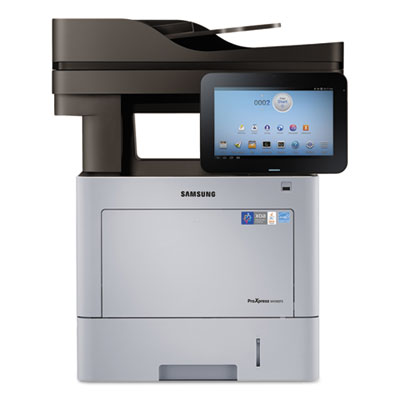 Samsung ProXpress SL-M4583FX Multifunction Laser Printer
<p>Introducing the convergence of BYOD and MFP. Samsung monochrome M4580FX MFP feature large 10.1" touchscreens that make printing a simple matter of touching and sliding. More than intuitive interfaces, though, the touchscreens are the heart of an Android-powered UX center, with preloaded printing applications, personalization by user, custom apps and more. All designed to put powerful printing at your fingertips. Beyond the screen, Samsung MFPs feature advanced technologies that deliver superior output faster and more securely. They’re the MFPs that businesses can rely on for reliable, productive and cost-efficient solutions.</p> |
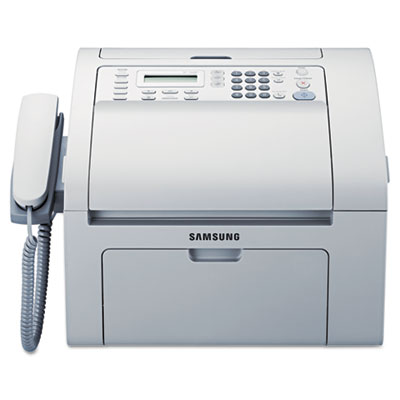 Samsung SF-760P Multifunction Laser Printer
<p>Achieve more with this multifunction laser printer that features fast printing and high-speed faxing. Four-in-one versatility streamlines workflow, so your office can produce output as efficiently as possible. High resolution gives your printouts standout detail. Compact design means you can get all these benefits, even if space is at a premium. Easy Printer Manager lets you set up and start printing in an instant.</p> |
|
(back to top) Drums/Photo Developers w/Toner
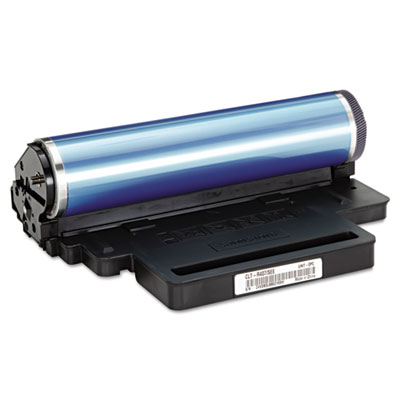 Samsung CLTR407 Drum
<p>Trustworthy OEM performance. Save time with trouble-free printing. Easy and intuitive installation.</p><p>For Model Numbers: Samsung CLP-325W, CLX-3185FW</p> |
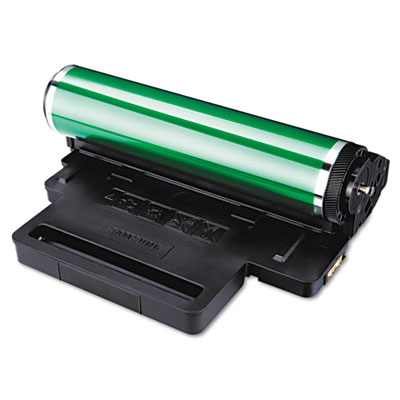 Samsung CLTR409 Drum
<p>Genuine OEM quality for unmatched reliability. Trust this unit to deliver optimal printing performance. You can count on superior performance in any demanding environment.</p><p>For Model Numbers: Samsung CLP-310 Series, CLP-315 Series, CLX-3170 Series, CLX-3175 Series</p> |
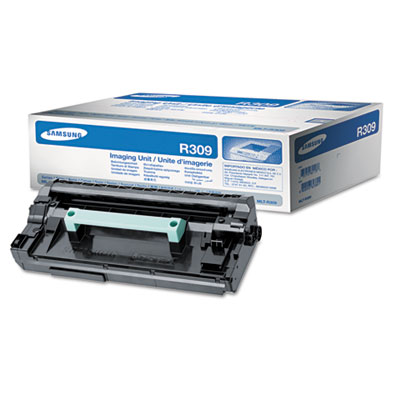 Samsung MLTR309 Drum
<p>Regular replacement of crucial parts prolongs machine life. Dependable and reliable. Easy installation gets you right back to work.</p><p>For Model Numbers: Samsung ML-5512ND, ML-6512ND</p> |
 Samsung SCX4720D3, SCX4720D3 Toner/Drum
<p>This OEM toner/drum is extensively tested to ensure high quality. Professional-looking documents at your fingertips in no time when you use this reliable cartridge.</p><p>For Model Numbers: Samsung SCX-4720F, 4720FN</p> |
(back to top) Imaging Drums/Photoconductors
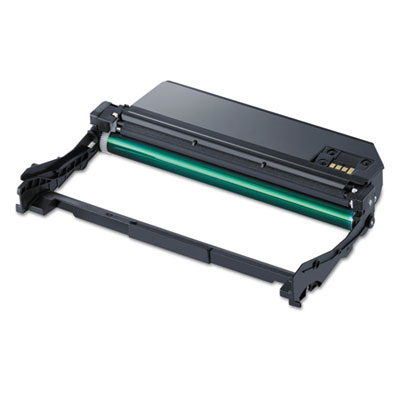 Samsung MLTR116 Imaging Unit
<p>Genuine Samsung supplies are always made with brand-new components to ensure reliability and performance every time.</p><p>For Model Numbers: Samsung ProXpress SL-M2625D, SL-M2825DW, SL-M2875FD, SL-M2875FW</p> |
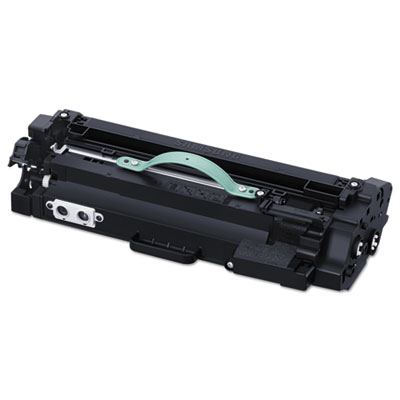 Samsung MLTR304 Drum
<p>Makes sure your printer is performing to expectations. Designed to deliver accurate imaging. Designed to deliver accurate imaging.</p><p>For Model Numbers: Samsung SL-M4580FX</p> |
 Samsung SCX5315R2 Drum
<p>OEM drum provides image uniformity and razor-sharp edges. Reliable value that you can count on. Backward-compatible and interchangeable.</p><p>For Model Numbers: Samsung Msys 830, 835P; SCX-5112</p> |
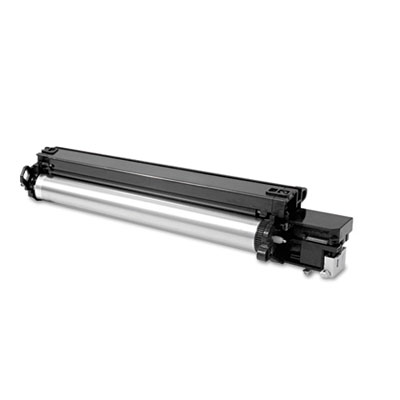 Samsung SCX6320R2 Drum
<p>Make sure your printer is performing to expectations with this genuine OEM drum is designed to deliver exceptional results and accurate imaging. Every drum is tested and inspected for quality assurance.</p><p>For Model Numbers: Samsung SCX-6320</p> |
(back to top) Inks & Toners
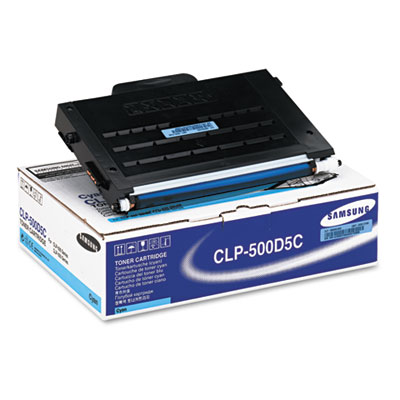 Samsung CLP500D5C, CLP500D5M, CLP500D5Y, CLP500D7K Laser Print Cartridge
<p>This toner produces rich and vibrant prints with striking black and color reproduction. Offers great print quality and reliable performance for affordable, professional output. Depend on innovative engineering to provide superior printing.</p><p>For Model Numbers: Samsung CLP-500, 500N, 550, 550N</p> |
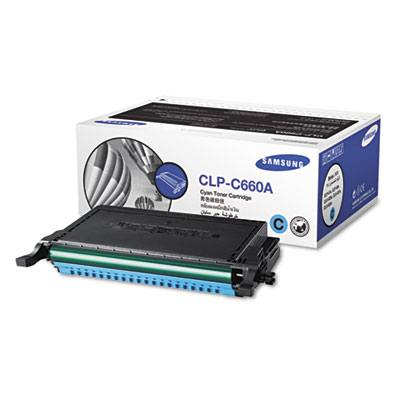 Samsung CLPC660A-CLPY660B Laser Cartridge
<p>Creates striking images and sharp graphics. Brings out high-quality details on every page. Integrates seamlessly with your printer, reducing downtime.</p><p>For Model Numbers: Samsung CLP610ND, 660ND, CLX6200FX, 6210FX, 6240F</p> |
 Samsung CLTC508L-CLTC508LTAA Toner
<p>Exceptional results require an exceptional toner. Experience enhanced fine-line detail and superior reliability. Features an easy installation that leaves hands clean.</p><p>For Model Numbers: Samsung CLP-620ND, CLP-670ND</p> |
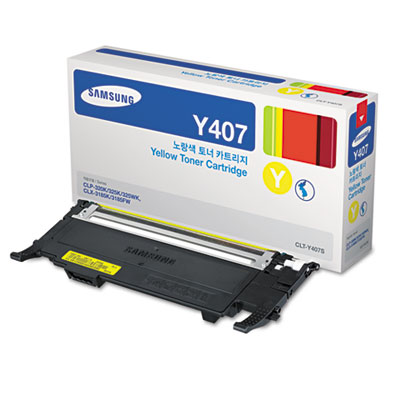 Samsung CLTC5407S, CLTY407S, CLTM407S, CLTK407S Toner
<p>Toner that will perform when your requirements are most demanding. Each cartridge produces solid blacks and vibrant colors for eye-catching graphics. Increase productivity and reduce costs when each cartridge delivers value and dependability.</p><p>For Model Numbers: Samsung CLP-325W, CLX-3185FW</p> |
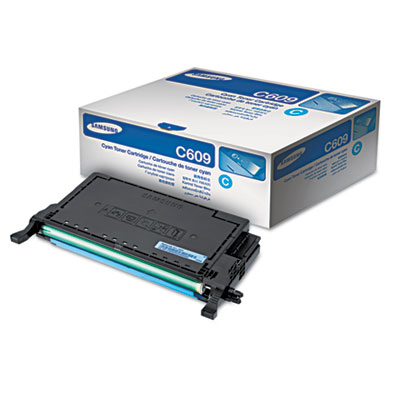 Samsung CLTC609S Toner
<p>Affordable, professional quality printing. High-yield toner decreases cost per print and increases uptime. Consistent printing without reliability problems.</p><p>For Model Numbers: Samsung CLP-770ND</p> |
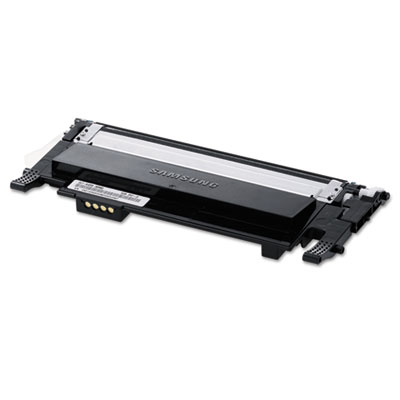 Samsung CLTK406S, CLTC406S, CLTM406S, CLTY406S Toner
<p>Quality you can trust. Ensures accurate print imaging. Inspected and tested for reliability.</p><p>For Model Numbers: Samsung CLP-365W Series, CLX-3305FW Series Color MFP</p> |
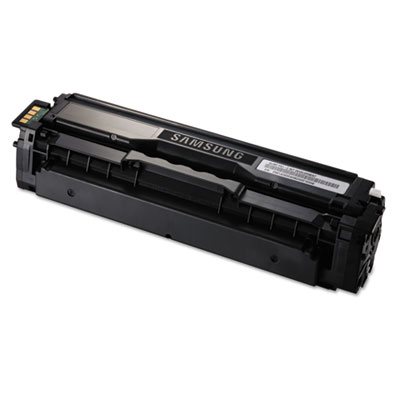 Samsung CLTK504S, CLTC504S, CLTM504S, CLTY504S Toner
<p>Rely on OEM quality. Essential for smooth, uninterrupted operation of your device. Mess-free installation.</p><p>For Model Numbers: Samsung CLP-415NW Series, CLX-4195FW Series MFP</p> |
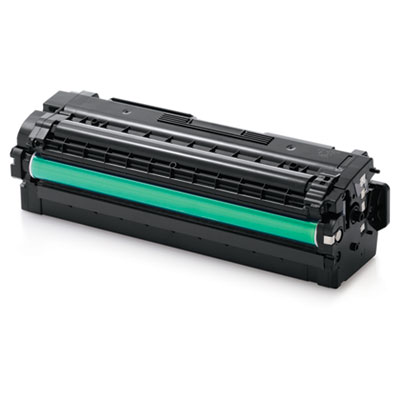 Samsung CLTK506L-CLTY506S Toner
<p>Reliable and dependable cartridges which install in a snap. Produces brilliant colors and bold blacks for excellence in your printed materials. Genuine OEM quality you can count on every time.</p><p>For Model Numbers: Samsung CLP-680ND Series, CLX-6260FD, CLX-6260FD, CLX-6260FW Color MFP</p> |
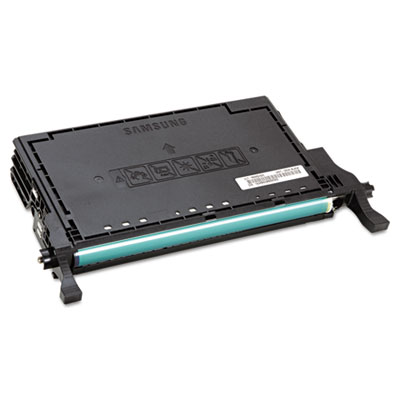 Samsung CLTK609S Toner
<p>Affordable, professional quality printing. High-yield toner decreases cost per print and increases uptime. Consistent printing without reliability problems.</p><p>For Model Numbers: Samsung CLP-770ND</p> |
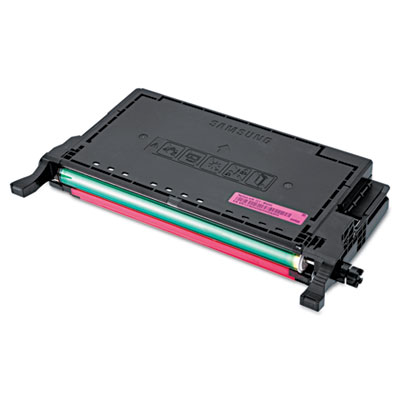 Samsung CLTM609S Toner
<p>Affordable, professional quality printing. High-yield toner decreases cost per print and increases uptime. Consistent printing without reliability problems.</p><p>For Model Numbers: Samsung CLP-770ND</p> |
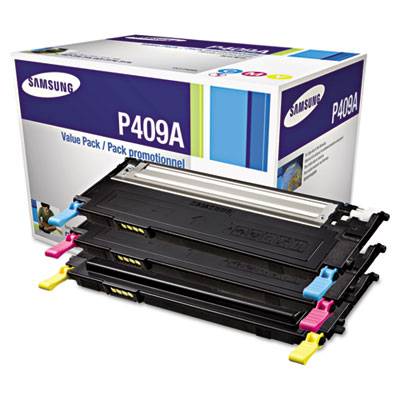 Samsung CLTP409A Toner
<p>OEM reliability and performance. Provides crisp, sharp output every time. Trouble-free installation and operation.</p><p>For Model Numbers: Samsung CLP-310 Series, CLP-315 Series, CLX-3170 Series, CLX-3175 Series</p> |
 Samsung CLTP409B Toner
<p>Prints sharp text and detailed graphics. Designed to use toner effectively. Easy installation.</p><p>For Model Numbers: Samsung CLP-310 Series, CLP-315 Series, CLX-3170 Series, CLX-3175 Series</p> |
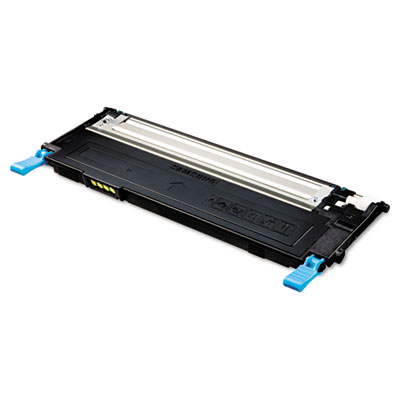 Samsung CLTP409C-CLY409S Toner
<p>Create page after page of high-quality prints with this laser cartridge. Produces reliably and effectively throughout the life of the cartridge. Installation is clean and simple.</p><p>For Model Numbers: Samsung CLP-310 Series, CLP-315 Series, CLX-3170 Series, CLX-3175 Series</p> |
 Samsung CLTR406 Imaging Unit
<p>Ensures the best quality in your printing. Extends the useful life of your machine. Tested for reliability.</p><p>For Model Numbers: Samsung CLP-365W Series, CLX-3305FW Series Color MFP</p> |
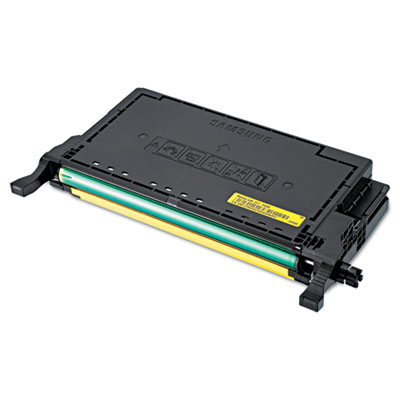 Samsung CLTY609S Toner
<p>Affordable, professional quality printing. High-yield toner decreases cost per print and increases uptime. Consistent printing without reliability problems.</p><p>For Model Numbers: Samsung CLP-770ND</p> |
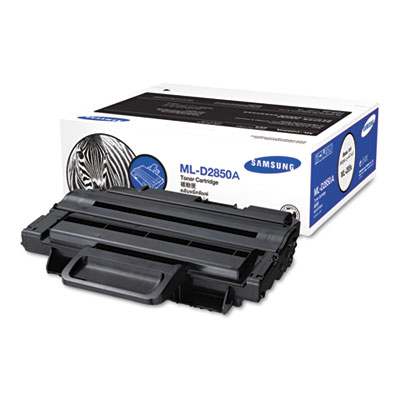 Samsung ML-2850A, ML-D2850B Laser Cartridge
<p>This toner is ideal for printing sharp text and detailed graphics. Reliable and dependable so you can count on it when you need it most. Sharp, crisp output for professional-looking documents.</p><p>For Model Numbers: Samsung ML-2850, ML-2851 Series</p> |
 Samsung ML3560D6, ML3560DB Toner/Drum
<p>Specifically designed to ensure print quality with crisp, dark output from the first page to the last page. Advanced TonerSave functionality provides cost-effective, reliable operation. Cartridge offers easy installation and sharp, professional results every time.</p><p>For Model Numbers: Samsung ML-3560, 3561N, 3561ND</p> |
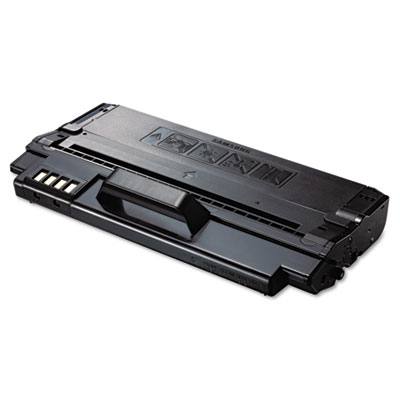 Samsung MLD1630A Toner
<p>Brings out amazing details on every page. Prints eye-pleasing text and images. Tested and inspected to ensure high quality.</p><p>For Model Numbers: Samsung ML-1630, SCX-4500</p> |
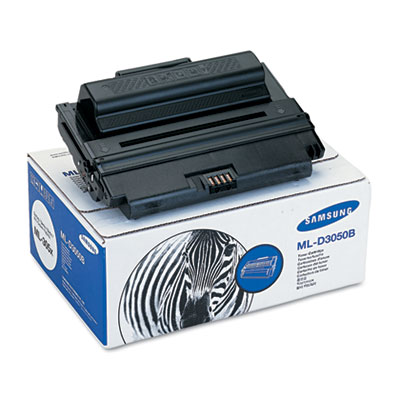 Samsung MLD3050A, MLD3050B, Laser Cartridge
<p>This Samsung laser cartridge is manufactured to deliver consistently high-quality printing with every document. Enjoy OEM reliability while getting superior performance. Cartridge provides trouble-free installation and operation.</p><p>For Model Numbers: Samsung ML-3051N, 3051ND</p> |
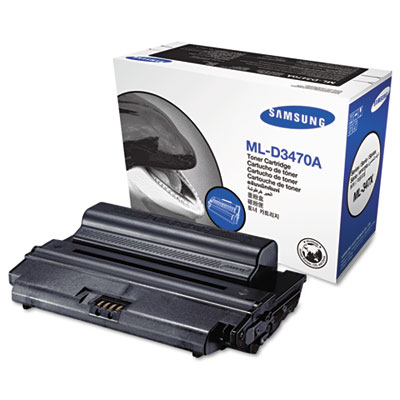 Samsung MLD3470A Laser Cartridge
<p>Creates defined lines and images with ease. Can withstand even the toughest workload. Prints effectively and reliably every time.</p><p>For Model Numbers: Samsung ML-3470ND, ML-3471ND</p> |
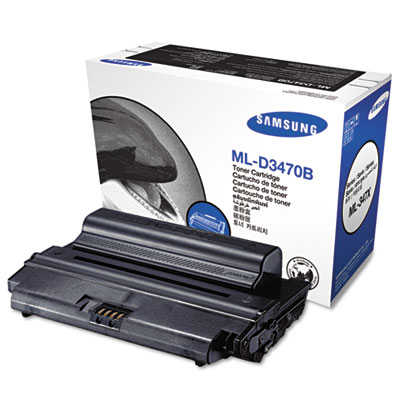 Samsung MLD3470B Laser Cartridge
<p>OEM quality printing. Formulated to resist fading, keeping text and images crisp. Easy to install and replace.</p><p>For Model Numbers: Samsung ML-3470ND, ML-3471ND</p> |
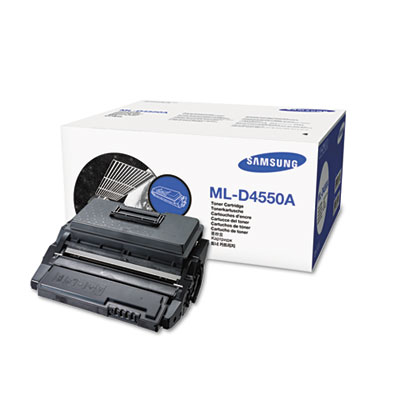 Samsung MLD4550A, MLD4550B Laser Cartridge
<p>Exceptional results require an exceptional toner. Produces outstanding quality and brilliant printing every time. Designed for uncompromising efficiency and performance.</p><p>For Model Numbers: Samsung ML-D4550, ML-4050N 40PPM, ML-4550 45PPM, ML4551N 45PPM, ML-4551ND</p> |
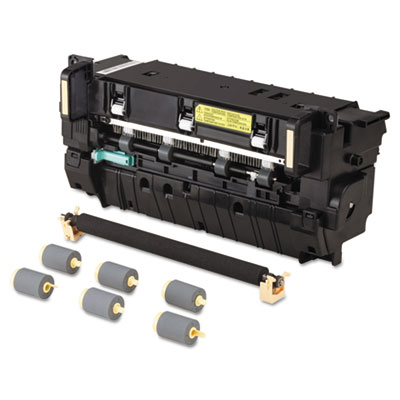 Samsung MLPMK65K Maintenance Kit
<p>OEM quality. Regular replacement of crucial parts prolongs machine life. Easy installation.</p><p>For Model Numbers: Samsung ML-5512ND, ML-6512ND</p> |
 Samsung MLT-D111S Toner
<p>Always make the right impression. Keep your Samsung printer operating like new with genuine Samsung toner. Use genuine Samsung toner for quality, reliability and peace-of-mind.</p><p>For Model Numbers: Samsung SL-M2020W, SL-M2070FW</p> |
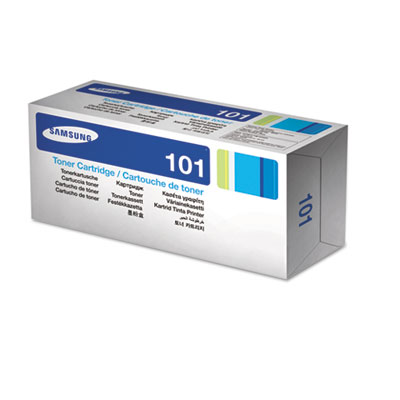 Samsung MLTD101S Toner
<p>OEM-made for proven quality. Ensures superior print quality and reliability. Engineered and tested for outstanding results.</p><p>For Model Numbers: Samsung ML-2165W, SCX-3405FW, SF-760P</p> |
 Samsung MLTD104S Toner
<p>OEM-made for proven quality. Brings out the best in your printer. Simple to install.</p><p>For Model Numbers: Samsung ML-1665</p> |
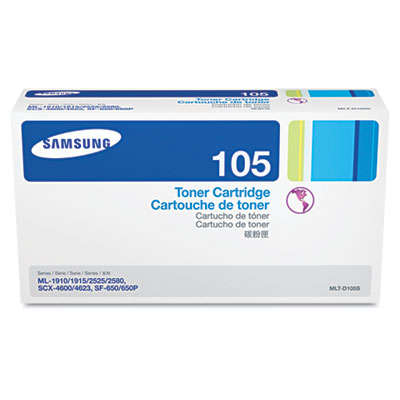 Samsung MLTD105L, MLTD105S
<p>Dependable toner quality for excellent results. Reliable operation helps improve productivity and reduce costs. Simple installation means you spend less time installing and more time printing.</p><p>For Model Numbers: Samsung SF-650, SF-650P</p> |
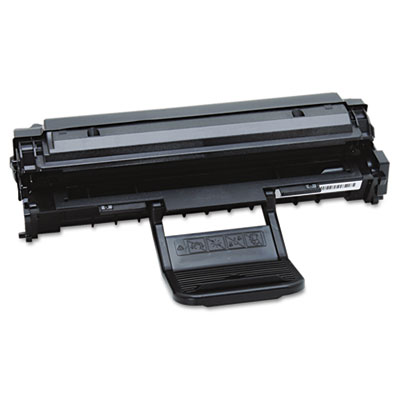 Samsung MLTD108S Toner
<p>Reliable and consistent results. Optimal print quality. Easy to install.</p><p>For Model Numbers: Samsung ML-1640, ML-2240</p> |
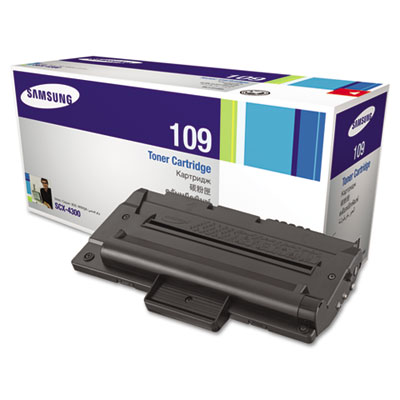 Samsung MLTD109S Laser Cartridge
<p>Engineered to provide consistently outstanding results. Uses an advanced formula that resists smudging, streaking, and fading. Installation is simple, saving time and money.</p><p>For Model Numbers: Samsung SCX-4300</p> |
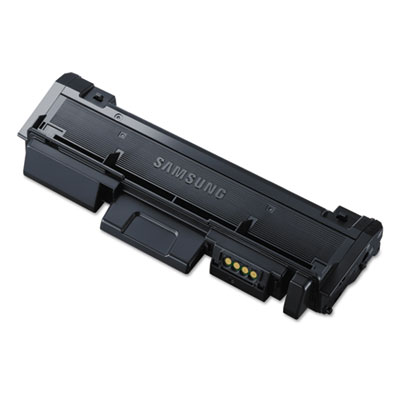 Samsung MLTD116L Toner
<p>Use genuine Samsung toner for quality, reliability and peace-of-mind. Original toners provide the highest quality print, maximum printer performance and maximize printer life.</p><p>For Model Numbers: Samsung ProXpress SL-M2625D, SL-M2825DW, SL-M2875FD, SL-M2875FW</p> |
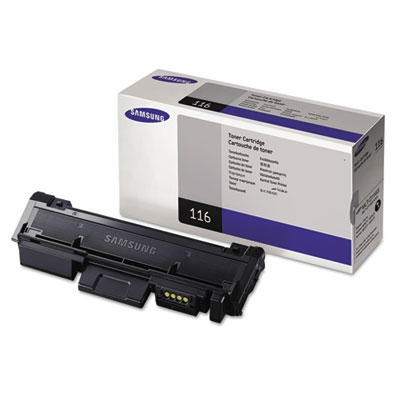 Samsung MLTD116S Toner
<p>Best value. Samsung toner cartridges deliver 100% of stated capacity – “bargain” toners do not. Clean, crisp images. Samsung uses advanced polymerized toner for beautiful and smudge-free images. Guaranteed performance. Samsung cartridges are made with new parts to ensure reliability and performance.</p><p>For Model Numbers: Samsung SL-M2625D, SL-M2825DW, SL-M2875FD, SL-M2875FW</p> |
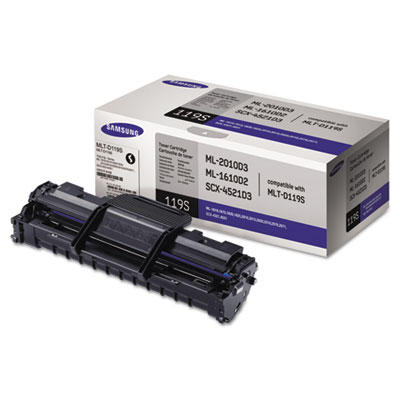 Samsung MLTD119S Toner
<p>Use genuine Samsung supplies for quality, reliability and peace-of-mind. Original supplies provide the highest quality print, maximum printer performance and maximize printer life.</p><p>For Model Numbers: Samsung ML-1610, ML-2010, ML-2510, ML-2570, ML-2571N, SCX-4521F, SCX-4521FG</p> |
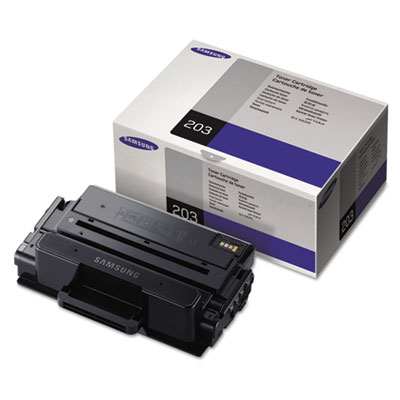 Samsung MLTD203E Toner
<p>Use genuine Samsung toner for quality, reliability and peace-of-mind. Original toners provide the highest quality print, maximum printer performance and maximize printer life.</p><p>For Model Numbers: Samsung ProXpress SL-M3820DW, SL-M4020ND, SL-M3870FW, SL-M4070FR</p> |
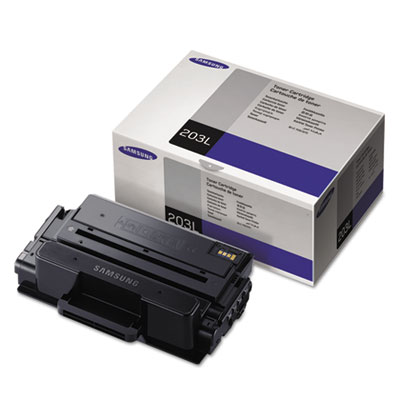 Samsung MLTD203L, MLTD203S Toner
<p>Use genuine Samsung toner for quality, reliability and peace-of-mind. Original toners provide the highest quality print, maximum printer performance and maximize printer life.</p><p>For Model Numbers: Samsung ProXpress SL-M3320ND, SL-M3820DW, SL-M4020ND, SL-M3370FD, SL-M3870FW, SL-M4070FR</p> |
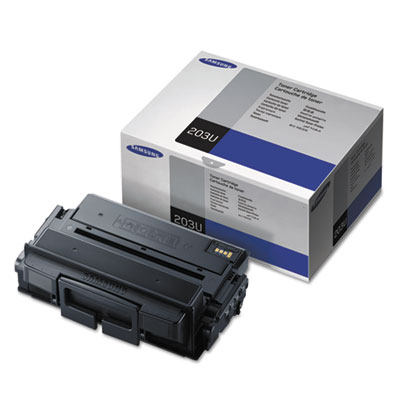 Samsung MLTD203U Toner
<p>Use genuine Samsung toner for quality, reliability and peace-of-mind. Original toners provide the highest quality print, maximum printer performance and maximize printer life.</p><p>For Model Numbers: Samsung ProXpress SL-M4020ND, SL-M4070FR, SL-4070X</p> |
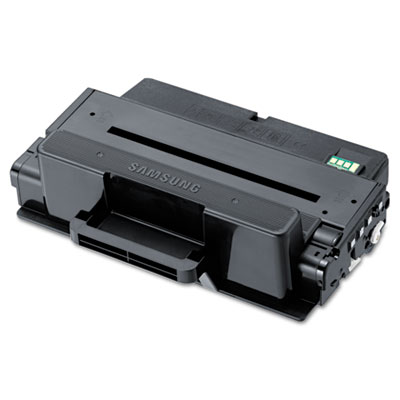 Samsung MLTD205E, MLTD205L, MLTD205S Toner
<p>Quality OEM manufacturing. Adds a professional touch to any document. Simple to install.</p><p>For Model Numbers: Samsung ML-3712ND, ML-3712DW</p> |
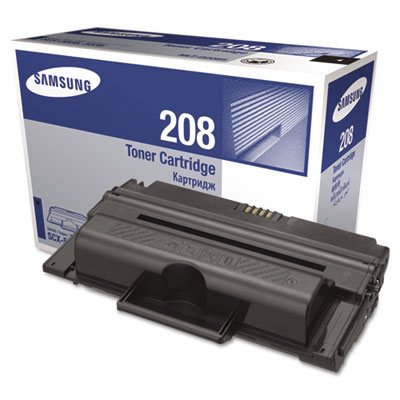 Samsung MLTD208S, MLTD208L Toner
<p>Highlights the finer details in your work. Designed for simple installation. This cartridge generates optimum print quality.</p><p>For Model Numbers: Samsung SCX-5835FN Series</p> |
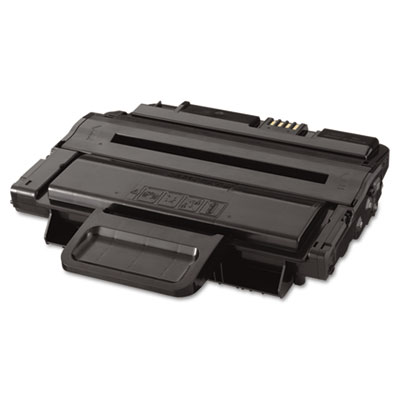 Samsung MLTD209L, MLTD209S Toner
<p>This toner produces smooth gradients, subtle shadings, detailed graphics, and crisp text, regardless of the media type used. Resists fading so that your prints look just as good as the day you made them. Features an easy installation that leaves hands clean.</p><p>For Model Numbers: Samsung SCX-4828FN Series MFP</p> |
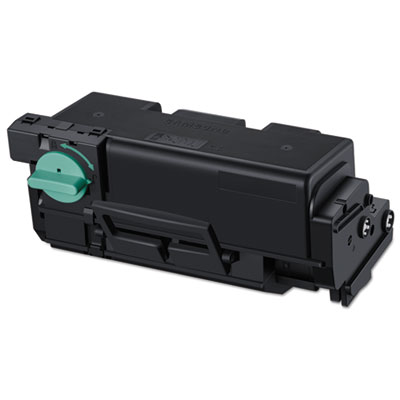 Samsung MLTD303E, MLTD304E, MLTD304L, MLTD304S Toner
<p>Highlights the finer details in your work. Guaranteed performance. Samsung imaging units are always made with new parts to ensure reliability and performance. Simple to install and use.</p><p>For Model Numbers: Samsung SL-M4580FX</p> |
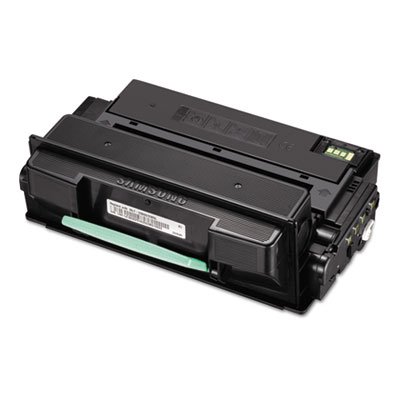 Samsung MLTD305L Toner
<p>Prints crisply and cleanly from the first page to the last. Reliable and dependable. Installs quickly and easily, saving both time and money.</p><p>For Model Numbers: Samsung ML-3750ND</p> |
 Samsung MLTD307E, MLTD307L, MLTD307S Toner
<p>OEM-built to provide great print quality and reliable performance. Ensures superior print imaging. Easy to install and replace.</p><p>For Model Numbers: Samsung ML-4512ND, ML-5012ND, ML-5017ND</p> |
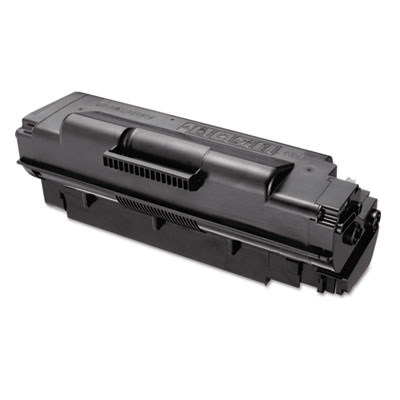 Samsung MLTD307U Toner
<p>Highlights the finer details in your work. Simple installation. This toner generates optimum print quality.</p><p>For Model Numbers: Samsung ML-4512ND, ML-5012ND, ML-5017ND</p> |
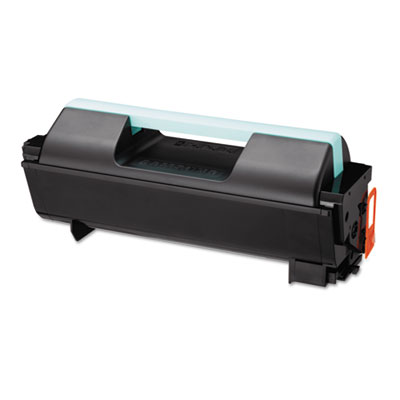 Samsung MLTD309E Toner
<p>Cost-effective performance. Advanced toner formulation. Installs quickly and easily.</p><p>For Model Numbers: Samsung ML-5512ND, ML-6512DW</p> |
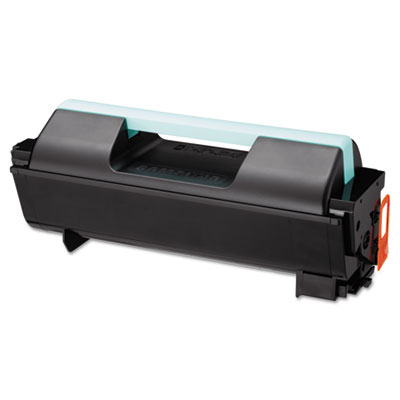 Samsung MLTD309S, MLTD309L Toner
<p>OEM-made for genuine quality. Optimizes device performance. Easy to use, quick to install, and simple to replace.</p><p>For Model Numbers: Samsung ML-5512ND, ML-6512ND</p> |
 Samsung MLTP105A Toner
<p>Quality OEM manufacturing. Adds a professional touch to any document. Simple to install.</p><p>For Model Numbers: Samsung ML-2525, ML-2525W, ML-2545, SCX-4600, SCX-4623F, SCX-4623FW, SF-650, SF-650P</p> |
 Samsung MLTP208A Toner
<p>You'll never sacrifice quality or value when using this premium toner. Works precisely for optimal quality and dependability. Fewer interruptions save time and lower overall costs of printing.</p><p>For Model Numbers: Samsung SCX-5635FN, 5835FN</p> |
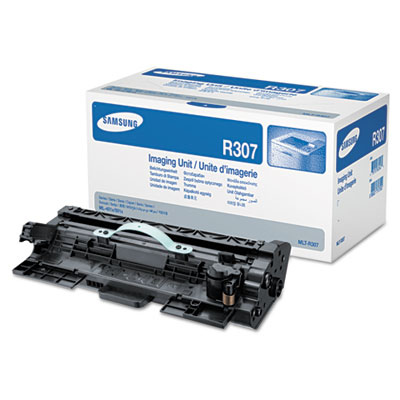 Samsung MLTR307 Drum
<p>Quality OEM manufacturing. Routine maintenance means exceptional image quality. Minimizes device wear and tear.</p><p>For Model Numbers: Samsung ML-4512ND, ML-5012ND, ML-5017ND</p> |
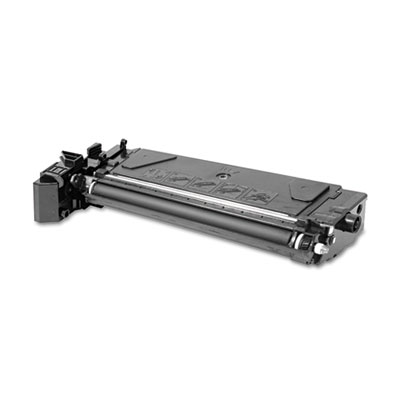 Samsung SCX6320D8 Toner Cartridge
<p>Developed for office environments that require high resolution print quality plus cost effectiveness. Enjoy crisp, vibrant output from the first page to the last page. Get cost-effective, reliable operation and sharp, professional results every time.</p><p>For Model Numbers: Samsung SCX-6220, 6320F</p> |
 Samsung SCXD4200A Laser Cartridge
<p>Offers high print quality and a robust page yield for improved workflow and added value. This print cartridge is designed to work with your printer and produce crisp, professional results. Advanced imaging output designed for optimal sharpness and gray.</p><p>For Model Numbers: Samsung SCX-4200A</p> |
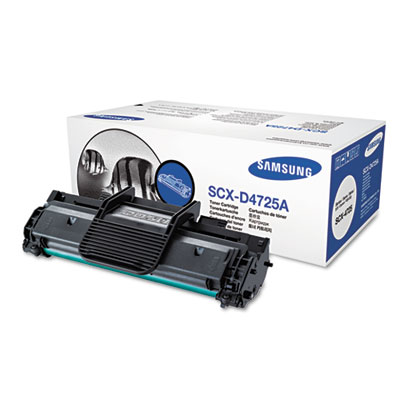 Samsung SCXD4725A Laser Cartridge
<p>Create sharp text and fine lines. Rest easy knowing that every cartridge has passed rigorous testing, making it reliable and dependable. Installs easily and quickly, saving you time and money.</p><p>For Model Numbers: Samsung SCX-4725, 4725FN</p> |
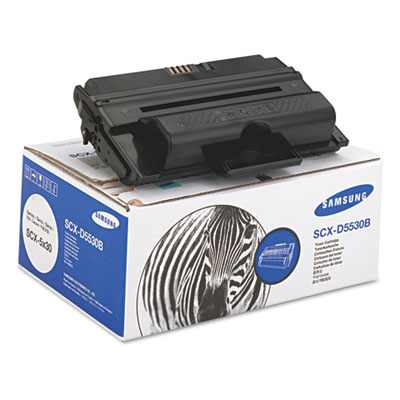 Samsung SCXD5530A, SCXD5530B Laser Cartridge
<p>Designed to use toner efficiently and effectively. Creates fine lines, crisp edges, and sharp borders. Easy front-loading design.</p><p>For Model Numbers: Samsung SCX-5530FN, 5530 AIO</p> |
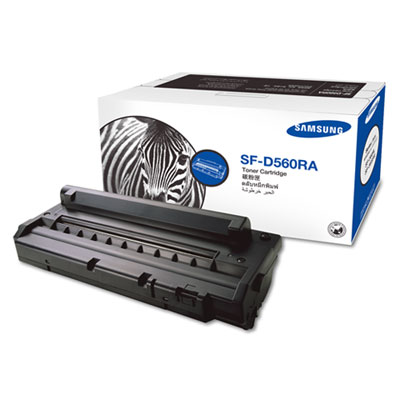 Samsung SFD560RA Laser Cartridge
<p>Assuring the best quality, reliability and performance without sacrificing the useful life of your printer. Toner is highly engineered, allowing for a consistent printed output for years to come.</p><p>For Model Numbers: Samsung SF-565PR</p> |
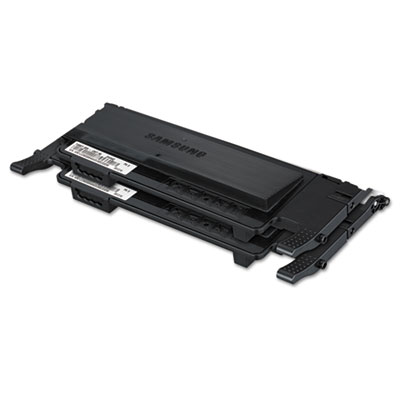 Samsung® CLTP407C, CLTP407B, CLTP407A Toner
<p>Cost-effective performance. Advanced toner formulation. Installs quickly and easily.</p><p>For Model Numbers: Samsung CLP-325W, CLX-3185, CLX-3185FW</p> |
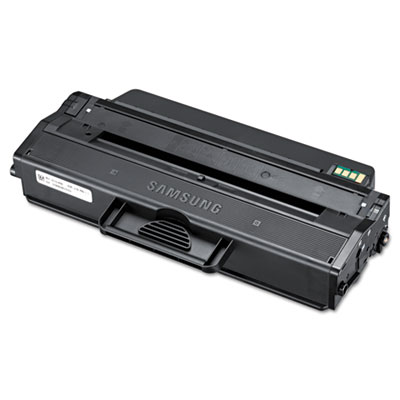 Samsung® MLTD103S, MLTD103L Toner
<p>Proven OEM quality. Crisp, clean output. Simple to install.</p><p>For Model Numbers: Samsung ML-2955ND, ML-2955DW, SCX-4729FD, SCX-4729FW</p> |
||
(back to top) Laser Printers
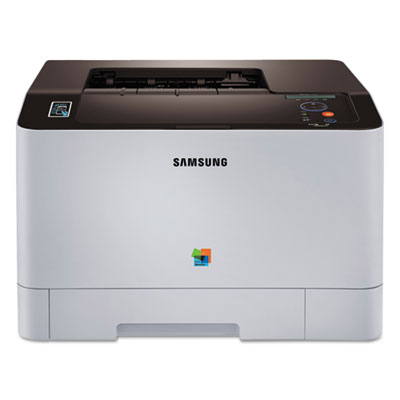 Samsung C1810W Xpress Color Printer
<p>The smart choice for modern business environments that demand printers that have mobile printing capabilities and produce high-quality color output. Speed, ease of operation and cost efficiency are also key requirements for businesses to run productively and economically. ReCP technology and high-density resolutions ensure exceptionally sharp color printouts with professional-quality results every time. Tight deadlines and high print volumes are no problem. The Xpress C1810W delivers fast performance with print speeds of 18/18 ppm thanks to a dual CPU and 256 MB memory. These workhorse printers not only produce high-quality output at blazing-fast speeds, but they are simple and economical to operate.</p> |
 Samsung CLP-775ND Color Laser Printer
<p>Gain effective print productivity with this network-ready laser printer. Print quickly in both black-and-white and full color, thanks to efficient output speeds. Produce better, sharper output with Samsung ReCP technology that provides precise color trapping, composite color reduction, edge resolution enhancement and negative edge sharpening. Easily handle large jobs and complex graphics, thanks to the powerful processor and generous expandable memory. Use automatic duplex printing to reduce paper consumption and costs. Keep your information protected with security features like, multiple layers of password protection, secure printing and delayed printing.</p> |
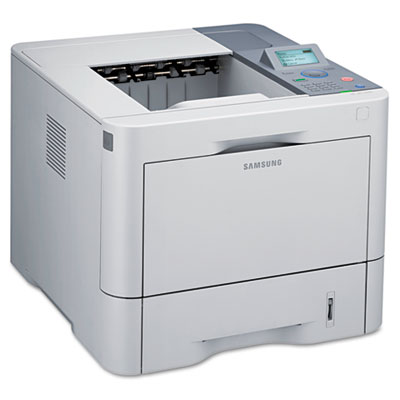 Samsung ML-4512ND Laser Printer
<p>Offering outstanding productivity and versatility, this network-ready laser printer effortlessly combines performance with simplicity to create the ideal workgroup printer. Fast first-page-out and page-per-minute speeds allow you to get more done in less time. Robust processor and expandable memory make it a breeze to handle multiple large files. Automatic duplex printing helps you save paper, time and money. Simple-to-use control panel and numeric keypad give you convenient access to the features and settings.</p> |
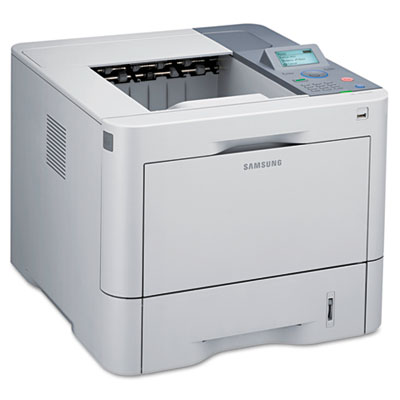 Samsung ML-5012ND Laser Printer
<p>Offering outstanding productivity and versatility, this network-ready laser printer effortlessly combines performance with simplicity to create the ideal workgroup printer. Fast first-page-out and page-per-minute speeds allow you to get more done in less time. Robust processor and expandable memory make it a breeze to handle multiple large files. Automatic duplex printing helps you save paper, time and money. Simple-to-use control panel and numeric keypad give you convenient access to the features and settings. USB port on the front panel lets you print from your flash drive—without turning on your PC.</p> |
 Samsung ML-5500 Series Mono Laser Printer
<p>Gain advanced features and intelligent simplicity with this network-ready laser printer. Robust dual-core processor and expandable memory deliver fast output speeds, as well as enterprise-level performance. Secure Job Release function enables you to send confidential documents to the printer and authorize it to only print when you enter your code. Intuitive LCD and numeric keypad allow you to get tasks done without having to stop and figure out how to do it. Eco Mode button puts paper and toner savings at your fingertips with features like, duplex printing, n-up and TonerSave. Anti-jam roller is specifically engineered to minimize misfeeds and paper jams, which can slow down productivity.</p> |
 Samsung ML-6500 Series Mono Laser Printer
<p>Gain advanced features and intelligent simplicity with this network-ready laser printer. Robust dual-core processor and expandable memory deliver fast output speeds, as well as enterprise-level performance. Secure Job Release function enables you to send confidential documents to the printer and authorize it to only print when you enter your code. Intuitive LCD and numeric keypad allows you to get tasks done without having to stop and figure out how to do it. Eco Mode button puts paper and toner savings at your fingertips with features like, duplex printing, n-up and TonerSave. Anti-jam roller is specifically engineered to minimize misfeeds and paper jams, which can slow down productivity.</p> |
 Samsung ProXpress C2620DW Color Laser Printer
<p>The smart choice for modern business environments that demand printers that have mobile printing capabilities and produce high-quality color output. Speed, ease of operation and cost efficiency are also key requirements for businesses to run productivity and economically. ReCP technology and high-density resolutions ensure exceptionally sharp color printouts with professional-quality results every time. Plus, Samsung’s polymerized toner produces vivid, glossy images that are durable and fade-resistant. Tight deadlines and high print volumes are no problem. The Xpress C2620DW delivers fast performance with print speeds of 27/27 ppm thanks to a dual CPU and 256 MB memory. These workhorse printers not only produce high-quality output at blazing-fast speeds, but they are simple and economical to operate. By implementing Samsung Printer Xpress C2620DW, businesses can be more efficient, flexible and productive.</p> |
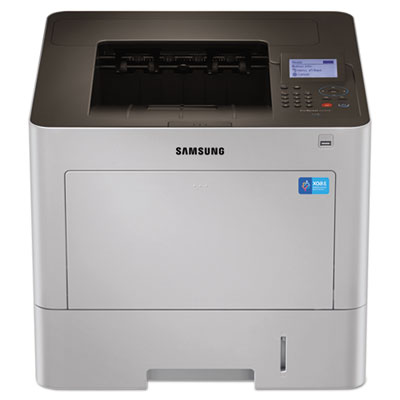 Samsung ProXpress M4530-Series Monochrome Wireless Laser Printer
<p>Work fast and efficiently with this printer's intuitive, easy-to-use controls, high performance and resource-efficient features. Providing functionality and critical reliability, as well as mobile printing and rich security, it will keep any office running smoothly. Rendering Engine for Clean Page (ReCP) technology delivers sharp text and clean images. A superior resolution helps to ensure that everything you print will stand out. It also boasts a durable build, specially designed to cope with the pressures of business. Thanks to the unique anti-jam friction roller system, the M4530 series significantly reduces the occurrence of multiple sheet pickups, misfeeds and paper jams. The easy user interface offers convenient access to a wide array of features and settings. Utilizing the numeric keypad or the touchscreen display, users can authenticate documents by entering a required pin to securely release print jobs. Increase your productivity with the Samsung Mobile Print App. The XOA (eXtensible Open Architecture) Web platform can help to satisfy your specific business needs and seamlessly run custom solutions.</p> |
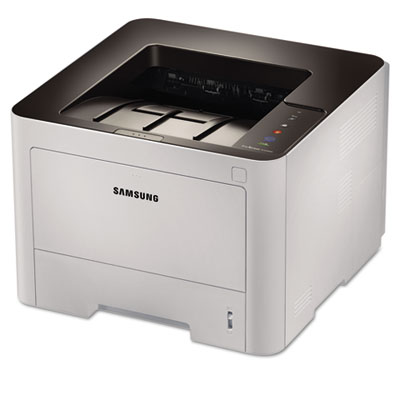 Samsung ProXpress SL-M3320ND Monochrome Laser Printer
<p>Businesses can accelerate workflow with this high-speed laser printer that features a Cortex-A5 core processor and built-in memory for processing complex and heavy professional print jobs fast. ReCP technology improves readability of printed documents by enhancing thin lines and sharpening the edges of negative text. It also delivers sharp, solid prints with high-quality effective output print resolutions. Various media handling produces professional-looking results and provides the ability to print various media types of multiple sheets of heavyweight material, including labels, cardstock and envelopes. One Touch Eco Button and Easy Eco Driver support cost and energy saving with features like 2-up/duplex printing, skipping blank pages and toner saving mode. The printer features enterprise-level security, which offers greater control of user, document, and network access. Easy Printer Manager monitors printer performance and status from PCs.</p> |
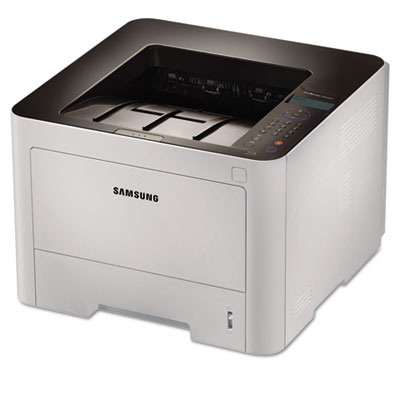 Samsung ProXpress SL-M3820DW Wireless Monochrome Laser Printer
<p>This wireless laser printer helps businesses print complex documents and heavy media types without sacrificing processing and printing speed and professional-quality results. Accelerate document and image processing for increased efficiency with the fast print speeds, powered by a Cortex™-A5 core processor and expandable memory. ReCP technology improves readability of printed documents by enhancing thin lines and sharpening the edges of negative text while the high-quality print resolution delivers sharp, solid prints. Numerous labels, cards and envelopes can be printed using the multi-purpose tray with ease, virtually eliminates the time it takes to feed sheets one at a time. One Touch Eco Button automatically activates 2-up printing and duplex printing, lowering toner and paper usage. Easy Eco Driver software saves users 20% on toner and reduces energy consumption with features like removing images, converting them from bitmap to sketch, and removing text. Easy Printer Manager helps remotely control settings and monitor the printer’s status. Built-in numeric keypad allows users to protect personal or confidential documents by requiring users to enter password in order to release the print job.</p> |
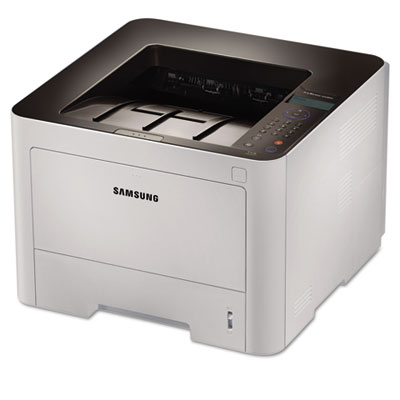 Samsung ProXpress SL-M4020ND Monochrome Laser Printer
<p>This laser printer’s high speed and performance enable businesses to accelerate document and image processing for increased efficiency, thanks to the Cortex™-A5 core processor and large built-in memory. ReCP technology improves readability of printed documents by enhancing thin lines and sharpening the edges of negative text. The printer’s multipurpose tray supports heavy media, numerous labels, cards and envelopes to offer more printing choices for professional documents. Businesses can lower toner and paper usage with the One Touch Eco Button that automatically activates 2-up printing and duplex printing. Easy Eco Driver software reduces energy consumption. The printer features enterprise-level security, which offers greater control of user, document, and network access.</p> |
 Samsung Xpress C410W Laser Printer
<p>Print brilliant, professional color from your home office, with ease. Samsung’s latest image processing and polymerized toner formulation, for exceptionally vivid color and razor-sharp text and graphics. Operation is made simple with the one-touch WPS button, as well as the Eco button which saves toner, paper and money. With the printer’s NFC Technology, printing wirelessly from a mobile device is also a breeze. Just tapping your smartphone or tablet is all it takes. And with a compact footprint, the wireless C410W fits just about anywhere in the office.</p> |
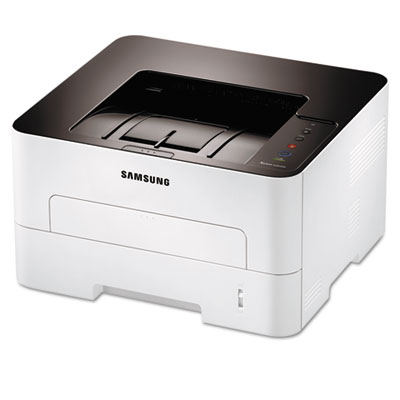 Samsung Xpress SL-M 2000 Series Monochrome Laser Printer
<p>Ideal for cost-conscious, performance-driven businesses, this laser printer provides cost efficiency, performance and ease of use to reduce TCO and help achieve optimal productivity. Process complex and heavy professional print jobs fast, thanks to the Cortex-A5 core processor and built-in memory. ReCP technology improves readability of text and produces clearer images on printed documents. Various media handling produces professional-looking results and gives you the ability to print various media types of multiple sheets of heavyweight material, including labels, cardstock and envelopes. One Touch Eco Button saves on costs by reducing paper and toner usage. Easy Eco Driver saves paper by using duplex printing, skipping blank pages or N-up printing. Printer manager monitors printer performance and status from PCs.</p> |
 Samsung Xpress SL-M 2800 Wireless Monochrome Laser Printer
<p>Designed for ease of use, this wireless laser printer provides the same flexibility, productivity and high-quality output found in printers designed for every business, yet with lower TCO. Process complex and heavy professional print jobs fast, thanks to the Cortex-A5 core processor and built-in memory. ReCP technology improves readability of text and produce clearer images on printed documents. Various media handling produces professional-looking results and gives you the ability to print various media types of multiple sheets of heavyweight material, including labels, cardstock and envelopes. One Touch Eco Button saves on costs by reducing paper and toner usage. Easy Eco Driver saves paper by using duplex printing, skipping blank pages or N-up printing. Printer manager monitors printer performance and status from PCs.</p> |
||
(back to top) Maintenance Kits/Supplies
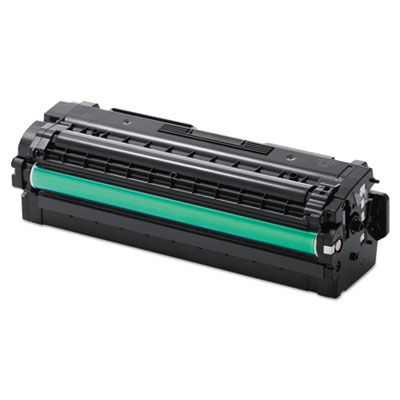 Samsung CLTC505L, CLTK505L, CLTM505L, CLTY505L Toner
<p>Keep critical supplies on hand to reduce downtime. Genuine OEM quality. Simple to install.</p><p>For Model Numbers: Samsung SL-C2620DW, SL-C2670FW</p> |
(back to top) Memory Cards
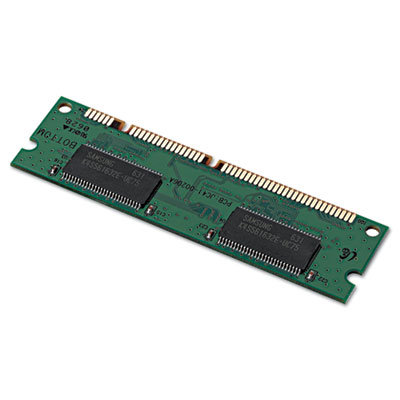 Samsung SDRAM DDR Memory Upgrade
<p>Increase your efficiency by significantly upgrading your printer's memory. Improve processing speed for optimal performance. You'll be able to print larger files and run applications faster for higher productivity.</p><p>For Model Numbers: Samsung CLP-160, CLP-660 Series</p> |
 Samsung SDRAM Memory Upgrade
<p>Enhance performance by upgrading your printer with additional memory. Faster document processing saves time for optimal output. Additional memory helps output large, complex files with ease.</p><p>For Model Numbers: Samsung CLP-770ND</p> |
(back to top) Mobile Devices
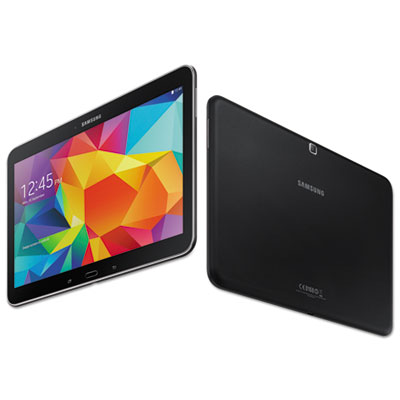 Samsung Galaxy Note® 10.1 Tablet
<p>Samsung is painting a new world with exceptional power, clarity and efficiency on a 10.1” screen. The ultra-vivid display has more than four million pixels, twice that of HDTV. With a pixel density of 299 ppi, colors are rendered bright, clear and lifelike. The S Pen allows users to jot down phone numbers, contact info and texts, while Samsung’s handwriting-to-text engine automatically converts your notes to text. Multi Window allows you to use multiple apps side by side, drag content from one app to the other or open the same app in two windows. This is especially useful when you’re referencing two different websites or writing two e-mails at the same time. Stream content on the display that also functions as an e-reader, as well as a universal remote and TV guide with the WatchON app. Find apps like Instagram, Pinterest, Facebook and more designed for use with the S Pen at the Google Play Store. Edit Word documents, PowerPoint presentations and Excel spreadsheets—and annotate PDFs—right from Polaris Office. Also, with Group Play, you can share your presentation or photos and collaborate in real time with other nearby Group Play users on the same Wi-Fi network.</p> |
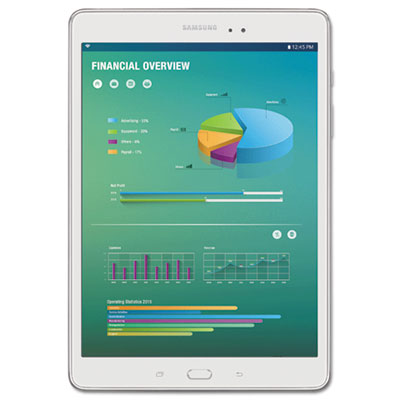 Samsung Galaxy Tab® A Tablet
<p>Empower your team to work from anywhere. The Samsung Galaxy Tab® A is a powerful business tool designed to improve productivity and workflow efficiencies throughout the mobile enterprise. Productivity is improved through real-time communication, and the preloaded Microsoft Office suite allows workers to create and work as if they were still on desktop or laptop PCs. Samsung Knox™ enterprise-grade security protects sensitive data.</p> |
(back to top) Monitors
 Samsung 420 Series Business LED Monitor
<p>This monitor is ideal for general business, but that in no way means it is one size fits all. The four-way stand lets users customize it to their personal preferences. It swivels, tilts, pivots and is height adjustable, allowing for better ergonomics and greater productivity. There’s also a zero watt off mode for energy savings, and a slim, stylish design that adds to a clean, clutter-free work environment.</p> |
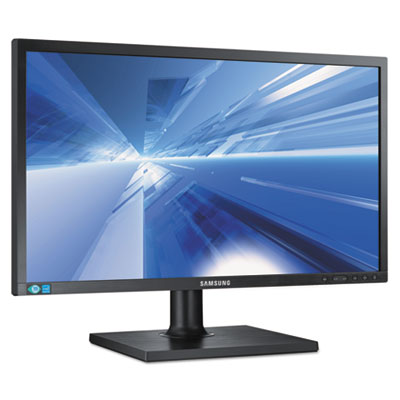 Samsung 450 Series LED Monitor
<p>Not all commercial-grade business monitors are created equal. Featuring Samsung’s energy-efficient LED-backlit technology, enhanced ergonomics and wider connectivity options, these innovative desktop monitors are clearly up to the task. They’re ideal for business professionals at every level. Front-mounted tactile buttons ensure easy and intuitive operation, narrow-bezel designs save space and reduce clutter, and fully adjustable stands with true swivel capability provide a better user experience.</p> |
 Samsung Business Monitor
<p>Offers advanced features and sleek styling that fits at home or at work. Mega Dynamic Contrast Ratio technology offers enhanced picture quality. Gamers will appreciate the game mode, which automatically optimizes picture quality. HDMI and VGQA ports give you a range of connectivity options, and Magic Upscale ensures a sharp picture when you connect a laptop, tablet or smartphone to view content on a larger screen. Three selectable energy-saving modes.</p> |
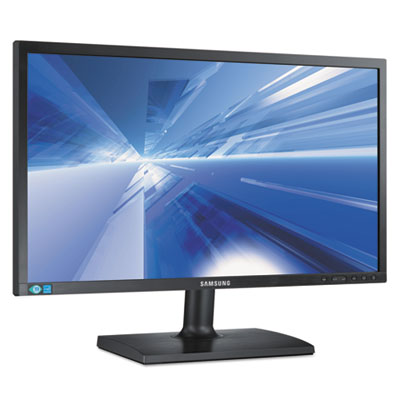 Samsung SC200 Series Desktop Monitor
<p>SC200 Series desktop monitors deliver cutting-edge technology, efficient design and integration ease. They’re an ideal solution for general office use. Narrow-bezel designs save space, multiple connectivity options add convenience, and LED-backlight technology delivers amazing image quality.</p> |
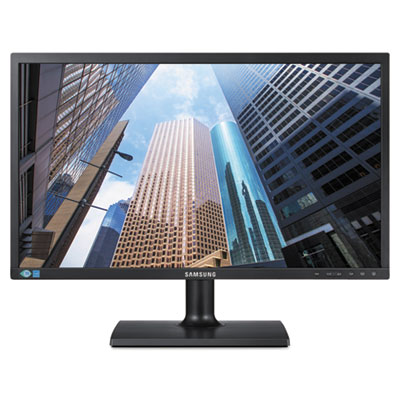 Samsung SE200 Series LED Desktop Monitors
<p>Everyday business meets everyday value with the Samsung SE200 Series desktop monitors. Since not every company does business the same way, the SE200 Series offers a range of sizes and aspect ratios at a reasonable cost. Each monitor in the lineup also features a low-glare commercial-grade TN panel, VGA and DVI connections, a matte black bezel with clearly labeled buttons, speaker bar compatibility and VESA mount compatibility.</p> |
 Samsung SE450 Series LED Desktop Monitors
<p>Not all commercial-grade business monitors are created equal. Consider the Samsung SC450 Series: featuring Samsung’s energy-efficient LED-backlit technology, enhanced ergonomics and wider connectivity options. These innovative desktop monitors are clearly up to the task. They’re ideal for business professionals of every level, whether they sit in a cubicle or command a corner office. Front-mounted tactile buttons ensure easy and intuitive operation, narrow-bezel designs save space and reduce clutter and fully adjustable stands with true swivel capability provide a better user experience. Business superiority. It’s yours for the taking.</p> |
 Samsung SE650 Series LED Desktop Monitors
<p>Budget-minded monitors with advanced picture quality. That’s what the Samsung SE650 Series desktop monitor lineup is all about. The innovative SE650 Series monitors utilize Samsung’s PLS panel technology. They delivers outstanding image quality, as well as wide 178° viewing angles. The fully adjustable stands keep users more comfortable, focused and productive. The matte black bezels with clearly labeled buttons put controls right up front. Rounding out the features are VGA, DVI, USB and DisplayPort connections, VESA mount compatibility and speaker bar compatibility. The budget savvy way to seize the desktop.</p> |
|
(back to top) Printer Accessories
 Samsung 1GB SDRAM Memory for CLX6260
<p>Enhance performance by upgrading your printer with additional memory. Faster document processing saves time for optimal output. Additional memory helps output large, complex files with ease.</p><p>For Model Numbers: Samsung CLX-6260FD/FW</p> |
 Samsung 250-Sheet Cassette Paper Tray for SCX-5835FN and SCX-5935FN Printers
<p>Increase your printer’s capacity and spend less time refilling the paper tray with this second cassette paper tray. Supports a variety of media sizes for maximum versatility. Simple to install so you can start printing fast.</p><p>For Model Numbers: Samsung SCX-5835FN; SCX-5935FN</p> |
 Samsung 500-Sheet Cassette Paper Tray for CLP-775ND
<p>Additional Cassette tray expands your printer's paper capacity. Supports a variety of media sizes and accommodates a full ream. Easy to install.</p><p>For Model Numbers: Samsung CLP-775ND</p> |
 Samsung 520-Sheet Cassette Paper Tray for ML-4512 and ML-5012
<p>Additional Cassette tray expands your printer's paper capacity. Supports a variety of media sizes and accommodates a full ream. Easy to install.</p><p>For Model Numbers: Samsung ML-4512ND; ML-5012ND; ML-S5012A</p> |
 Samsung Cassette Tray for CLP-680ND and CLX 6260
<p>Increase efficiency by expanding your printer’s paper capacity with this second cassette paper tray. Supports a variety of media sizes for maximum versatility. Simple to install so you can start printing fast.</p><p>For Model Numbers: Samsung CLP-680ND,;CLX-6260FD/FW</p> |
 Samsung Cassette Tray for ML-3312ND and 3712ND/DW
<p>Doubles the paper capacity of your printer for long print runs. Provides easy switching of media without the hassle of changing trays. Easy to install.</p><p>For Model Numbers: Samsung ML-3312ND; ML-3712ND; ML-3712DW</p> |
 Samsung CLTT508 Transfer Belt
<p>Superior smooth color output produces consistent, high-quality prints. Durable, long-lasting product life cycle. OEM replacement parts equal proven reliability.</p><p>For Model Numbers: Samsung CLP-620ND,CLP-660ND</p> |
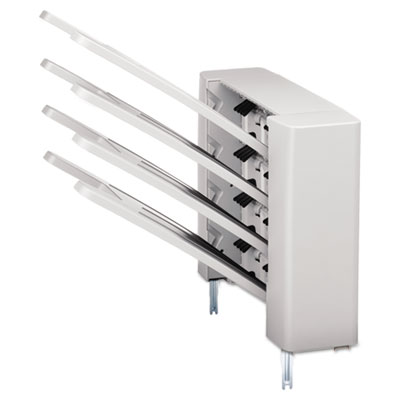 Samsung Four-Bin Mailbox for ML-5512ND/6512ND
<p>Four-Bin Mailbox for ML-5512ND/6512ND</p><p>For Model Numbers: Samsung ML-5512ND/6512ND</p> |
 Samsung High-Capacity Feeder for ML-5512ND/6512ND
<p>Increases paper capacity to 2,000 sheets. Reduces user intervention to refill paper supply on large print jobs.</p><p>For Model Numbers: Samsung ML-5512ND/6512ND</p> |
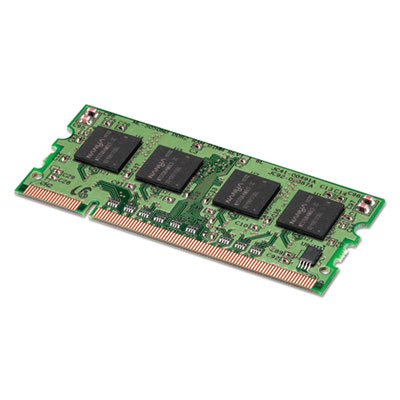 Samsung Memory Upgrade for ProXpress M4580FX Multifunction Printer
<p>Businesses of varying sizes and industries can meet their specific needs with unique configuration capabilities. Factory-provided modules serve as a basis upon which differing components are chosen along with a wide array of optional components, including but not limited to a wireless and NFC option, an FDI Kit and various stand sizes.</p><p>For Model Numbers: Samsung SL-M4580FX</p> |
 Samsung Second Paper Cassette for ProXpress M4580FX Multifunction Printer
<p>Businesses of varying sizes and industries can meet their specific needs with unique configuration capabilities. Factory-provided modules serve as a basis upon which differing components are chosen along with a wide array of optional components, including but not limited to a wireless and NFC option, an FDI Kit and various stand sizes.</p><p>For Model Numbers: Samsung SL-M4580FX</p> |
 Samsung Second Paper Tray for ML-5512ND/6512ND
<p>Doubles the paper capacity of your printer to reduce the need to refill trays. Allows two types of paper to be always available. Easy one-time installation.</p><p>For Model Numbers: Samsung ML-5512ND; ML-6512ND</p> |
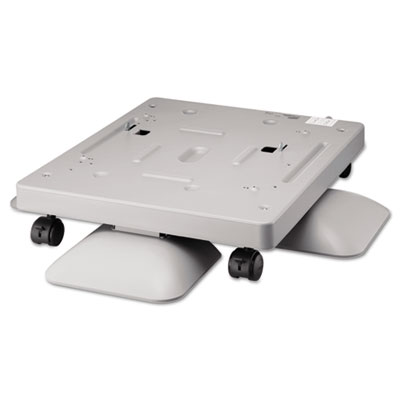 Samsung Short Cabinet for ML-5512ND/6512ND
<p>Provides a base for the printer.</p><p>For Model Numbers: Samsung ML-5512ND/6512ND</p> |
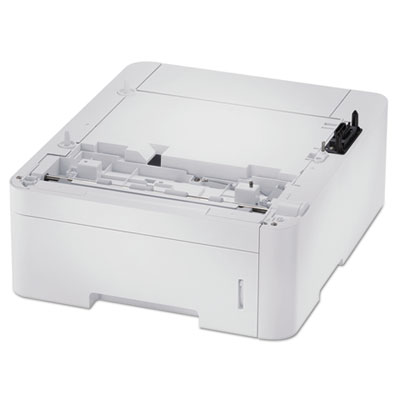 Samsung SL-SCF3800 Secondary Paper Tray for ProXpress M3320ND, M3820DW, M4020ND, M3370FD, M3870FW and M4070FR
<p>Add more flexible document handling and greater mobility with a second cassette feeder. Reduce user intervention time by increasing total paper capacity to 770 sheets, meaning less time spent changing/adding paper.</p><p>For Model Numbers: Samsung ProXpress M3320ND, M3820DW, M4020ND, M3370FD, M3870FW, M4070FR</p> |
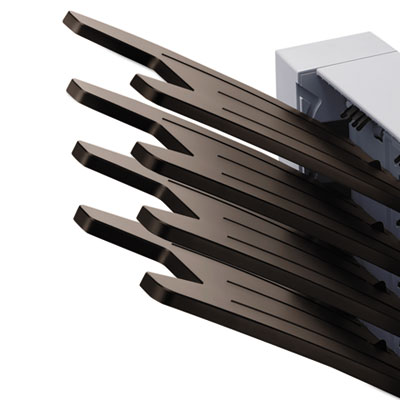 Samsung Stand for ProXpress Multifunction Printers
<p>Businesses of varying sizes and industries can meet their specific needs with unique configuration capabilities. Factory-provided modules serve as a basis upon which differing components are chosen along with a wide array of optional components, including but not limited to a wireless and NFC option, an FDI Kit and various stand sizes.</p><p>For Model Numbers: Samsung M4583FX; M4580LX</p> |
 Samsung Two-Bin Finisher for ML-5512ND/6512ND
<p>Sorts and staples your print jobs.</p><p>For Model Numbers: Samsung ML-5512ND/6512ND</p> |
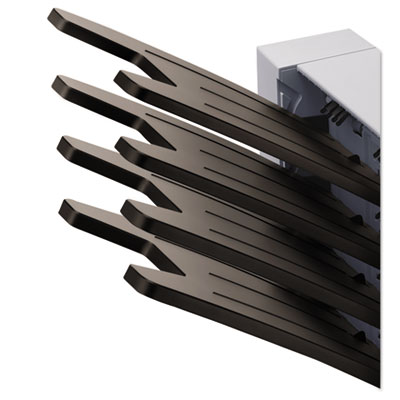 Samsung Wireless Adapter with Passive NFC for ProXpress M4580FX Printer
<p>Businesses of varying sizes and industries can meet their specific needs with unique configuration capabilities. Factory-provided modules serve as a basis upon which differing components are chosen along with a wide array of optional components, including but not limited to a wireless and NFC option, an FDI Kit and various stand sizes.</p><p>For Model Numbers: Samsung SL-M4580FX</p> |
|||
(back to top) Software
 Samsung PrintFleet Managed Print Services
<p>Manage printing systems through unparalleled data collection, unmatched data integrity and extensive information reporting capabilities with PrintFleet Managed Print Services. This complete suite of tools optimize and manage printer, MFP and copier fleets, while lowering operating costs and providing opportunities for enhanced revenue and profits. PrintFleet software provides a complete solution to monitor and analyze your client’s system for peak efficiency and cost savings. PrintFleet Data Collection Agent collects device information from Samsung printers and MFPs, as well as other brands, allowing you to manage diverse environments.</p> |
(back to top) Warranties & Support Packs
|
Samsung 1-Yr Next Business Day On-Site Maintenance Contract
<p>Rest easy, you can rely on unlimited support at your location with this warranty extension. Protect critical devices that need to be brought back online quickly. Essential next business day service provides the utmost protection of your bottom line.</p><p>For Model Numbers: Samsung ML-6512ND</p> |
Samsung 2-Yr Next Business Day Exchange Maintenance Contract One Time
<p>Continuity of coverage at an economical price with this warranty extension. Convenient delivery: just place one call and a refurbished product will be on its way the next business day. Prepaid return keeps your costs in check.</p><p>For Model Numbers: Samsung ML-1630, ML-2525, ML-2525W, ML-2571ND, ML-2851ND, ML-2588ND, CLP-315, CLP-315W</p> |
Samsung 2-Yr Next Business Day Exchange Maintenance Contract Unlimited
<p>Worry-free comprehensive continuity of coverage throughout the life of the warranty extension. Convenient delivery: just place one call and a refurbished product will be on its way the next business day. Prepaid return keeps your costs in check.</p><p>For Model Numbers: Samsung SCX-4500W, SCX-4600, SCX-4623F, SCX-3175FN, SCX-3175FW, SF-650, SF-650P</p> |
Samsung 2-Yr Next Business Day On-Site Maintenance Contract
<p>Rest easy, you can rely on unlimited support at your location with this warranty extension. Protect critical devices that need to be brought back online quickly. Essential next business day service provides the utmost protection of your bottom line.</p><p>For Model Numbers: Samsung ML-6512ND</p> |
 Samsung 3-Yr Next Business Day Exchange Maintenance Contract One Time
<p>Continuity of coverage at an economical price with this warranty extension. Convenient delivery: just place one call and a refurbished product will be on its way the next business day. Prepaid return keeps your costs in check.</p><p>For Model Numbers: Samsung ML-1630, ML-2525, ML-2525W, ML-2571ND, ML-2851ND, ML-2588ND, CLP-315, CLP-315W</p> |
Samsung 3-Yr Next Business Day Exchange Maintenance Contract Unlimited
<p>Worry-free comprehensive continuity of coverage throughout the life of the warranty extension. Convenient delivery: just place one call and a refurbished product will be on its way the next business day. Prepaid return keeps your costs in check.</p><p>For Model Numbers: Samsung ML-1630, ML-2525, ML-2525W, ML-2571ND, ML-2851ND, ML-2588ND, CLP-315, CLP-315W</p> |
Samsung 3-Yr Next Business Day On-Site Maintenance Contract
<p>Rest easy, you can rely on unlimited support at your location with this warranty extension. Protect critical devices that need to be brought back online quickly. Essential next business day service provides the utmost protection of your bottom line.</p><p>For Model Numbers: Samsung ML-6512ND</p> |
 Samsung 4-Yr Next Business Day Exchange Maintenance Contract One Time
<p>Continuity of coverage at an economical price with this warranty extension. Convenient delivery: just place one call and a refurbished product will be on its way the next business day. Prepaid return keeps your costs in check.</p><p>For Model Numbers: Samsung SCX-4500W, SCX-4600, SCX-4623F, SCX-3175FN, SCX-3175FW, SF-650, SF-650P</p> |
 Samsung 4-Yr Next Business Day Exchange Maintenance Contract Unlimited
<p>Worry-free comprehensive continuity of coverage throughout the life of the warranty extension. Convenient delivery: just place one call and a refurbished product will be on its way the next business day. Prepaid return keeps your costs in check.</p><p>For Model Numbers: Samsung SCX-4500W, SCX-4600, SCX-4623F, SCX-3175FN, SCX-3175FW, SF-650, SF-650P</p> |
Samsung 4-Yr Next Business Day On-Site Maintenance Contract
<p>Rest easy, you can rely on unlimited support at your location with this warranty extension. Protect critical devices that need to be brought back online quickly. Essential next business day service provides the utmost protection of your bottom line.</p><p>For Model Numbers: Samsung SCX-5835FN, SCX-5935FN</p> |
Samsung 5-Yr Next Business Day Exchange Maintenance Contract One Time
<p>Continuity of coverage at an economical price with this warranty extension. Convenient delivery: just place one call and a refurbished product will be on its way the next business day. Prepaid return keeps your costs in check.</p><p>For Model Numbers: Samsung ML-1630, ML-2525, ML-2525W, ML-2571ND, ML-2851ND, ML-2588ND, CLP-315, CLP-315W</p> |
 Samsung 5-Yr Next Business Day Exchange Maintenance Contract One-Time
<p>Continuity of coverage at an economical price with this warranty extension. Convenient delivery: just place one call and a refurbished product will be on its way the next business day. Prepaid return keeps your costs in check.</p><p>For Model Numbers: Samsung SCX-4500W, SCX-4600, SCX-4623F, SCX-3175FN, SCX-3175FW, SF-650, SF-650P</p> |
|
Samsung 5-Yr Next Business Day Exchange Maintenance Contract Unlimited
<p>Worry-free comprehensive continuity of coverage throughout the life of the warranty extension. Convenient delivery: just place one call and a refurbished product will be on its way the next business day. Prepaid return keeps your costs in check.</p><p>For Model Numbers: Samsung ML-1630, ML-2525, ML-2525W, ML-2571ND, ML-2851ND, ML-2588ND, CLP-315, CLP-315W</p> |
Samsung 5-Yr Next Business Day On-Site Maintenance Contract
<p>Rest easy, you can rely on unlimited support at your location with this warranty extension. Protect critical devices that need to be brought back online quickly. Essential next business day service provides the utmost protection of your bottom line.</p><p>For Model Numbers: Samsung SCX-5835FN, SCX-5935FN</p> |
Samsung On-Site Base Installation
<p>Expert set-up and testing of your new equipment ensures you're up and running. Technical assistance on-site covers basic operations for key operators.</p> |
|
(back to top) Waste Collection
 Samsung CLTW406 Waste Container
<p>Simple to install and replace. Significant savings. Eliminate frequent service calls.</p><p>For Model Numbers: Samsung CLP-680ND Series, CLX-6260FD, CLX-6260FD, CLX-6260FW Color MFP</p> |
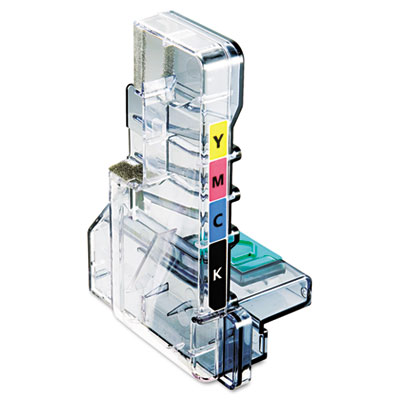 Samsung CLTW409 Waste Toner Cartridge
<p>Samsung waste toner cartridges are specifically designed to ensure print quality with crisp, vibrant output from the first page to the last page. These easy-to-install cartridges provide cost-effective, reliable operation and sharp, professional results every time. Yields up to 10,000 black and white or 2,500 color pages. For Samsung CLP-315, 315W, CLX-3170, 3175, 3175N printers.</p><p>For Model Numbers: Samsung CLP-310 Series, CLP-315 Series, CLX-3170 Series, CLX-3175 Series</p> |
 Samsung CLTW504 Waste Container
<p>Have crucial supplies on hand to meet fast turnaround times. Genuine OEM quality. Trustworthy, consistent performance.</p><p>For Model Numbers: Samsung CLP-415 Series, CLP-419 Series</p> |
 Samsung CLTW506 Waste Container
<p>Regularly replace critical parts to keep your machine functioning smoothly. Genuine OEM quality. Quality testing assures consistent results.</p><p>For Model Numbers: Samsung CLP-680ND Series, CLX-6260FD, CLX-6260FD, CLX-6260FW Color MFP</p> |


 Message sending..